Convert DJI thermal images
for FLIR workflows
Convert DJI radiometric JPEGs (R-JPEGs) into
FLIR-compatible files for FLIR Tools and FLIR Thermal Studio.
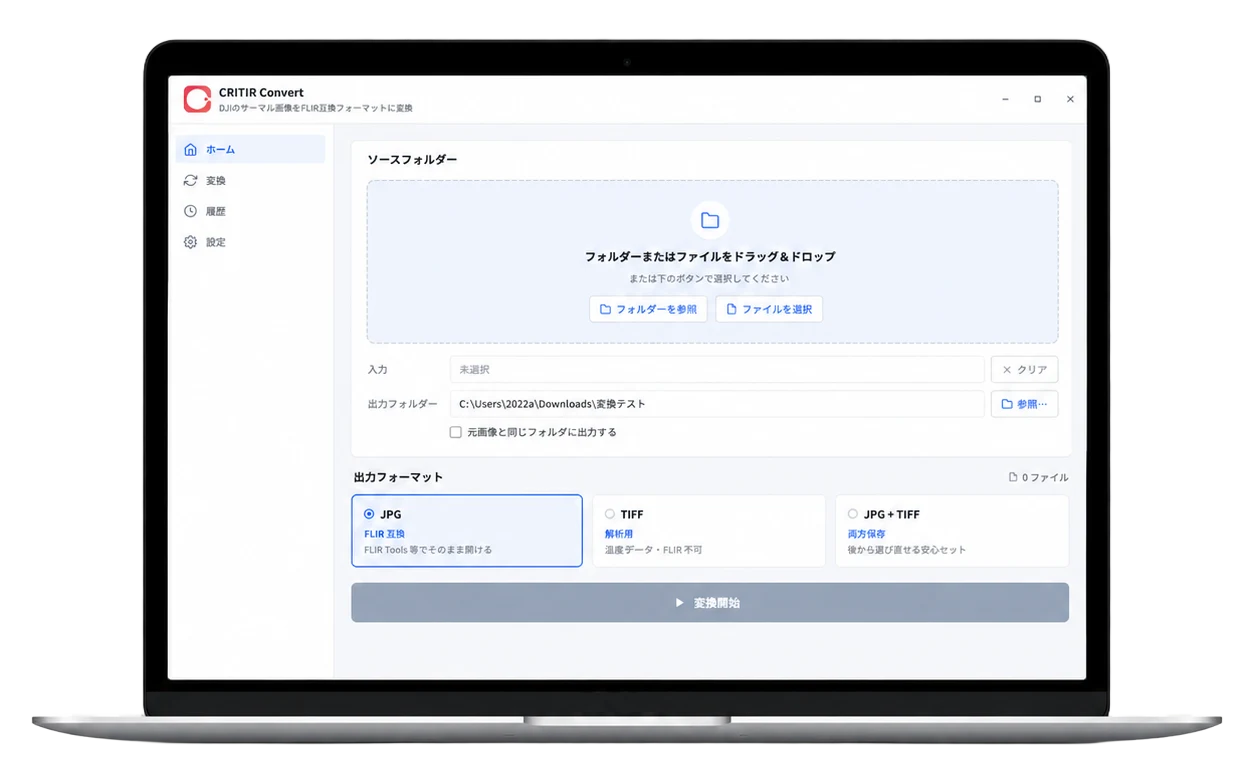
You can also export TIFFs for Pix4Dmapper, Metashape, and other mapping tools.
- Free trial — 30 conversions, no sign-up
- Perpetual license $700 — no subscription
- Conversion service from $45
Unlock DJI thermal analysis
in FLIR Tools / Thermal Studio
DJI drones output R-JPEGs with a proprietary metadata structure,
so FLIR software cannot read temperature data from them directly.
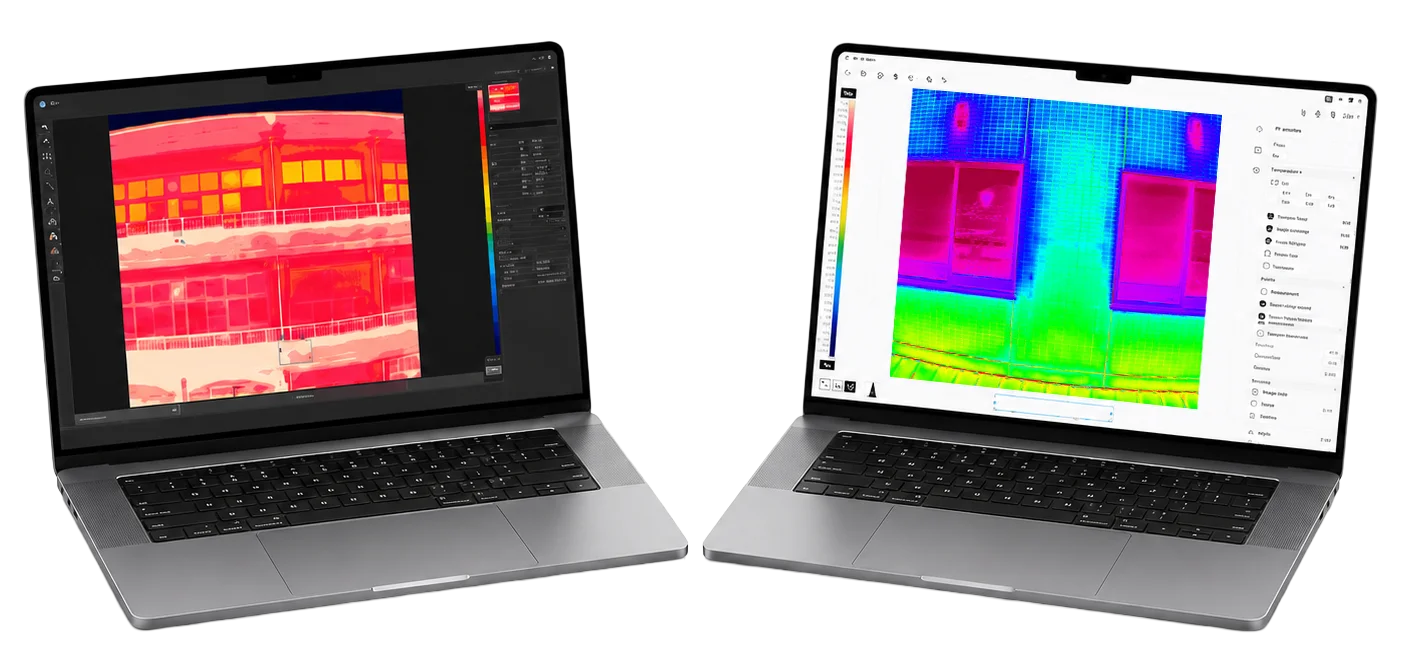
Keep your existing FLIR workflow
- Convert to FLIR R-JPEG for analysis in FLIR Tools and FLIR Thermal Studio
- Export TIFFs for thermal orthomosaics in Pix4Dmapper or Metashape
- Use DJI Thermal SDK-based processing for accurate temperature data
Two output formats,
chosen to fit your workflow
Choose the format that matches your inspection workflow: FLIR analysis or orthomosaic production.
Simultaneous output is also supported.
Open converted DJI captures in FLIR Tools or FLIR Thermal Studio for temperature analysis without changing your existing workflow.
Load converted files into Pix4Dmapper or Metashape to generate thermal orthomosaics and 3D models for large-area inspections.
Temperature accuracy and metadata,
preserved through conversion
CRITIR Convert reads temperature data with the official DJI Thermal SDK,
then re-encodes it into FLIR-compatible output while preserving accuracy.
Capture-time measurement parameters are applied during conversion (overridable):
- GPS coordinates (latitude / longitude / altitude)
- Capture date & time
- Camera and drone model
- Drone attitude & gimbal angle
- ICC color profile
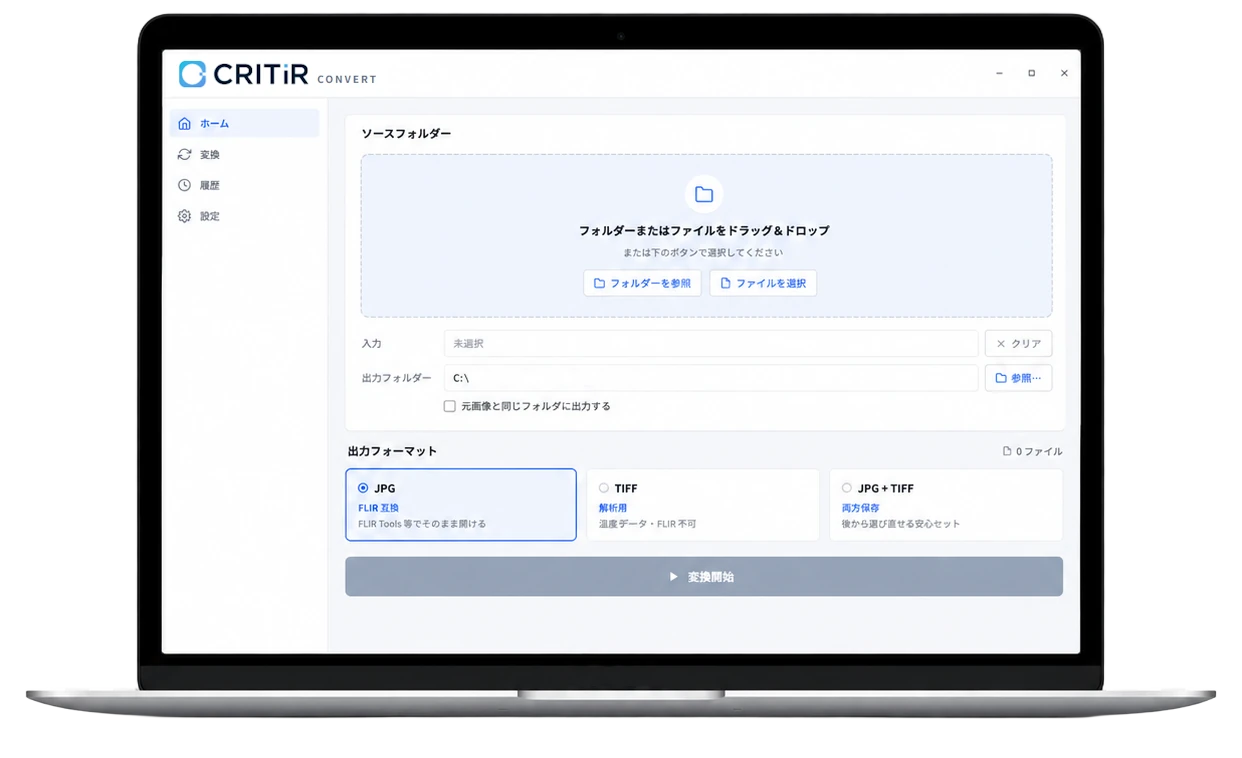
Drag & drop to
batch-convert entire folders
Drop in hundreds of R-JPEGs at once, then choose the output format.
Progress tracking, cancellation, and history are built in,
so the workflow stays simple during back-to-back inspection jobs.
 ConvertConvert
Works with DJI drones and camera modules
Broad support for both current and earlier DJI thermal hardware.
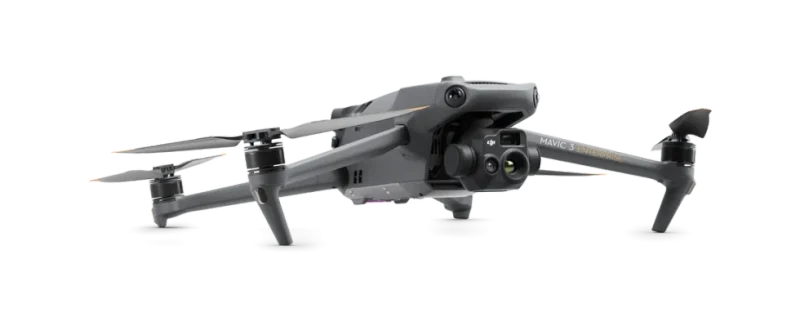
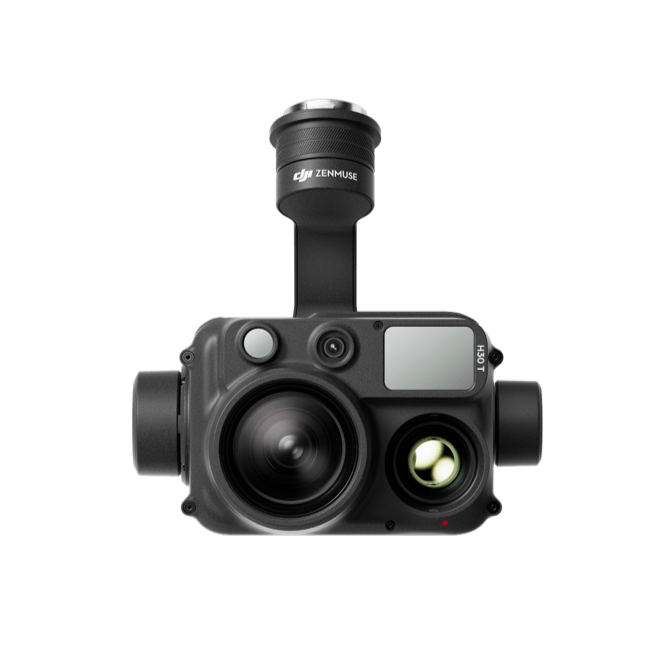
The devices below use FLIR sensors and already output FLIR-format R-JPEGs, so they open directly in FLIR Tools or FLIR Thermal Studio.
Two ways to handle thermal inspection data
Choose CRITIR Convert when you want to keep using FLIR analysis tools.
Choose CRITIR when you want to analyze DJI images directly without conversion.
Use the product that best matches your field workflow.
 Convert
Keep using
your FLIR workflow
Convert DJI images to FLIR-compatible R-JPEG or TIFF,
then analyze them in FLIR Tools or FLIR Thermal Studio.
- Purpose-built for DJI-to-FLIR conversion
- Export JPG, TIFF, or both at once
- Simple, focused conversion workflow
- FLIR software cannot open visual (RGB) images

Skip conversion —
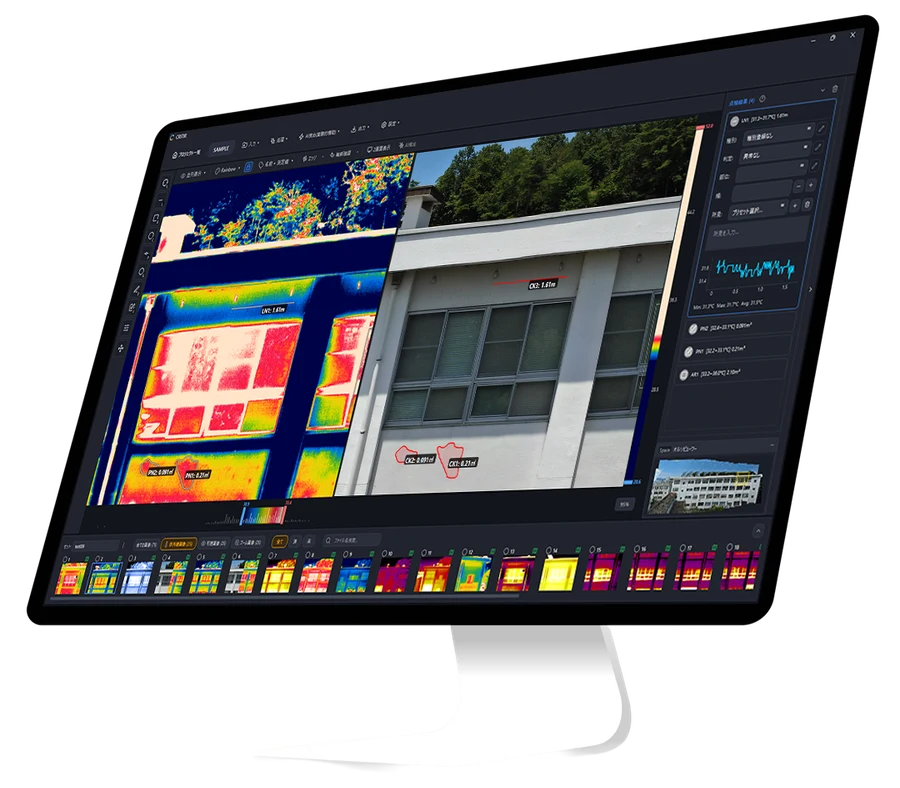
analyze and report in one tool
Load DJI, FLIR, and HIKMICRO images directly,
then create wall orthomosaics, project measurements automatically, and generate reports.
- Analyze DJI / FLIR / HIKMICRO images without conversion
- Automatic wall orthomosaic generation
- Measurement results automatically projected onto other images, orthomosaics, and drawings
- Built-in report templates (PDF / Word / Excel / DXF)
No upfront cost —
pay only for what you need
Start with file conversion as a service, then add the software license when you need to scale.
Choose the model that fits your project volume and workflow.
Software license
A perpetual Windows app license for teams that convert files repeatedly in-house.
Install on multiple PCs (only one active at a time)
- Windows app that can run offline after activation
- Batch conversion for entire folders, with no image-count cap
- Free trial — up to 30 conversions, no sign-up
File conversion service
Send us your R-JPEGs. We convert them to FLIR-compatible R-JPEG or TIFF files and deliver the results.
The base fee covers project setup, data handling, and quality checks.
| Images | Per-image fee | Total |
|---|---|---|
| 1–50 | +USD 25 | USD 45 |
| 51–100 | +USD 50 | USD 70 |
| 101–150 | +USD 70 | USD 90 |
| 151–200 | +USD 85 | USD 105 |
| 201–250 | +USD 100 | USD 120 |
| 251–300 | +USD 120 | USD 140 |
- Beyond 300 images: +USD 20 per additional 50 images
- Volume discounts are available for projects above 500 images
- FLIR-compatible R-JPEG and TIFF output are both supported
International prices are listed in USD. Japanese consumption tax does not apply to overseas customers eligible for export exemption.
Frequently asked questions
Windows 10 / 11 (64-bit), 4 GB RAM or more, and 200 MB of free disk space.
Yes. Install the app and click "Start Free Trial" on the license screen — no sign-up required, with up to 30 free conversions. For sample-conversion-only requests, use the contact form.
The error introduced by re-encoding an R-JPEG into FLIR format is typically under 0.01 °C. Capture-time parameters such as emissivity, reflected temperature, and humidity are carried through the conversion.
Yes. Expand "Override capture parameters (optional)" below the output-format selector to set emissivity, reflected temperature, object distance, relative humidity, and atmospheric temperature. Any field you fill in is applied to all selected files in one pass; fields left blank fall back to the values recorded in the DJI image. Both the TIFF temperature array and the FLIR JPEG metadata are recomputed from the overridden values.
It depends on the parameter. Emissivity and reflected temperature match the DJI tool almost exactly (within ±0.1 °C). Distance, humidity, and atmospheric temperature, however, follow FLIR Tools' own atmospheric model, so their values differ from DJI. To apply distance and atmospheric conditions at DJI accuracy, set them at conversion under "Override capture parameters" (the software computes with DJI's official SDK, so results match DJI). Relative differences (ΔT) used for hot-spot detection match DJI regardless of the settings.
The valid range is defined by the camera. For example, the H20T limits object distance to 25 m and locks atmospheric temperature, while the H30T allows up to 300 m and adjustable atmospheric temperature. If you enter an unsupported value, the app shows the valid range.
Yes. Expand "Set default color palette (optional)" below the output-format selector to pick from 10 palettes — Ironbow, Rainbow, Rainbow HC, Inferno, Hot, Lava, Coolwarm, Arctic, White Hot, and Black Hot (Rainbow by default). The chosen palette is embedded in the FLIR-compatible JPEG, so opening it in FLIR Tools shows the image in that palette automatically. Your selection is saved and restored the next time you launch the app.
CRITIR Convert converts thermal R-JPEGs only. Paired visual images in the same folder are left unchanged in the source folder. If you want to use visual images during analysis, consider our sister app CRITIR, which loads DJI images directly without conversion.
Yes. With a full license, every conversion feature works offline after installation (a connection is only needed for license activation). Conversions during the free trial require an internet connection.
Choose CRITIR Convert if you want to keep using FLIR Tools or FLIR Thermal Studio. Choose CRITIR if you want an end-to-end workflow for visual and thermal overlay analysis, measurement projection, and report generation without conversion. Get in touch if you need help deciding.
There is no software-side limit. Drag and drop entire folders at once, and the subfolder structure is mirrored in the output. Runs with hundreds or thousands of images are supported.
Get in touch
Adoption, licensing, customization, device-support requests —
feel free to reach out about any of them.
Built from real thermal inspection work —
software designed for field conditions
Developed by ASOLAB Inc., a drone services company in Matsumoto, Nagano, Japan,
drawing on experience from our own inspection projects.

ASOLAB is based in Matsumoto, Nagano, and operates a drone school alongside a full range of drone services. CRITIR Convert was built from day-to-day field experience by a team that works with drones in real inspection environments.