
Convert DJI thermal R-JPEGs to FLIR Tools and Pix4D: the complete guide (2026)
Convert DJI thermal R-JPEGs (H30T, Mavic 3T, M30T) for FLIR Tools, Thermal Studio, and Pix4D. Four tools compared with pricing, step-by-step workflows, and accuracy data.
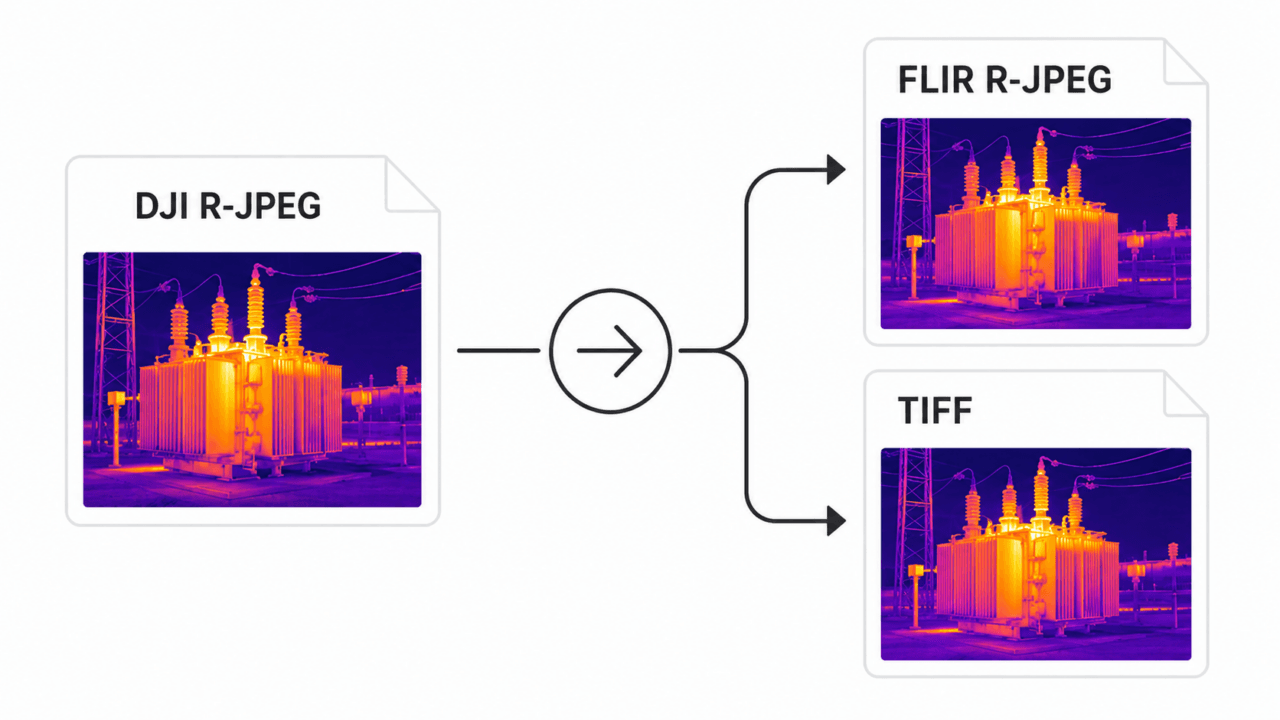
If you've ever tried opening a DJI Zenmuse H30T, H20T, or Mavic 3T thermal image in FLIR Tools, you've seen what we've all seen: the visible-light layer loads fine, but the temperature data is gone. The file is named .JPG, the metadata says it's radiometric, and yet none of the FLIR ecosystem can read it.
This guide explains why DJI's "R-JPEG" is not the same R-JPEG that FLIR Tools, FLIR Thermal Studio, Pix4Dmapper, or Agisoft Metashape expect — and walks through every realistic option for getting your DJI thermal data into those tools, with real accuracy numbers, a side-by-side comparison of the four active conversion tools (including pricing), and step-by-step workflows.
TL;DR
- The problem. DJI's thermal R-JPEG shares a file extension with FLIR's radiometric JPEG, but the internal format is different. FLIR Tools / Thermal Studio cannot read DJI files directly, and Pix4Dmapper / Metashape can't extract temperature without help.
- The fix. Convert the DJI R-JPEG into either a FLIR-compatible R-JPEG (for FLIR Tools / Thermal Studio) or a float32 TIFF (for Pix4Dmapper / Metashape / QGIS).
- Accuracy. When the converter uses the official DJI Thermal SDK, the typical added error is under 0.005 °C for R-JPEG output and zero for TIFF output.
- Tools. Four active conversion options exist in 2026 — DJI's free inspection tool, two commercial converters, and one integrated analysis app that skips conversion entirely. We compare them below.
- Recommended. For batch Windows workflows, CRITIR Convert is the most direct path ($700 one-time, free trial for up to 30 conversions). For users who want to skip conversion entirely, the sister app CRITIR reads DJI thermal natively.
Why DJI R-JPEGs don't open in FLIR Tools
In 2018, DJI and FLIR ended their partnership — a casualty of the broader US-China supply chain shift around that time. DJI moved to its own thermal sensor stack and, with it, designed an entirely new radiometric file format.
The two formats look the same from the outside (both are JPEG containers with extra APP markers), but the inside is completely different:
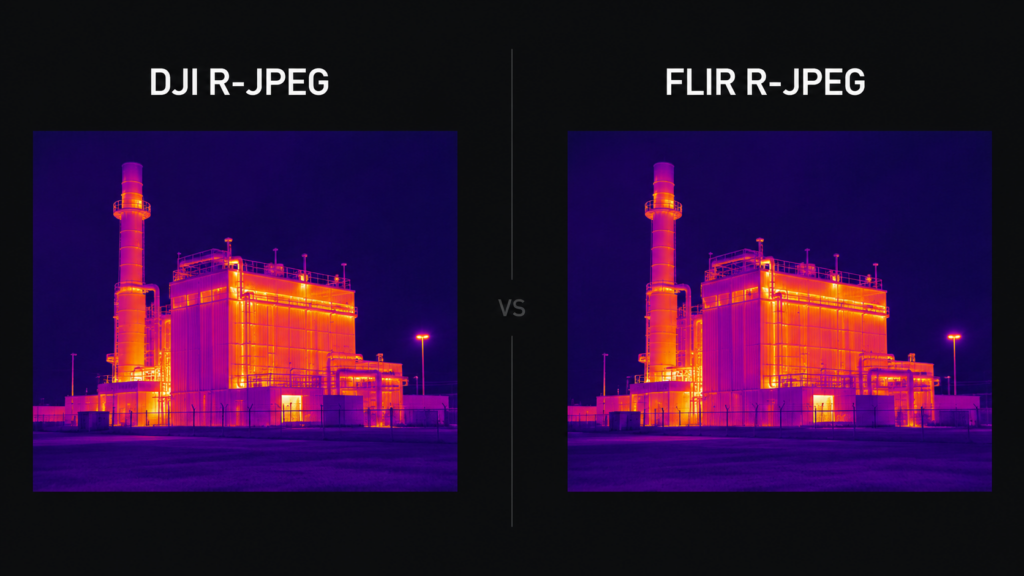
| FLIR R-JPEG | DJI R-JPEG | |
|---|---|---|
| Container | JPEG | JPEG |
| Extension | .jpg | .jpg |
| Metadata marker | APP1 with FFF (FLIR File Format) | APP1 with DJI-specific structure |
| Raw thermal data | 16-bit per-pixel + Planck constants | Encrypted/proprietary block |
| Reader compatibility | FLIR Tools, Thermal Studio, ResearchIR | DJI Thermal Analysis Tool, DJI SDK |
FLIR's parser looks for the FFF block. A DJI R-JPEG doesn't have one — so FLIR Tools opens the visible image and shows zero temperature data.
There is no setting, plugin, or workaround inside FLIR Tools that changes this. The file has to be re-encoded in FLIR's format. Pix4Dmapper and Metashape have a similar problem: they can use thermal data, but only when the file presents temperature as a value they can read (typically a 16-bit raw band or, more reliably, a 32-bit float TIFF). DJI's raw thermal block is not in a form either pipeline understands by default.
That's the technical reason conversion exists.
Output format: R-JPEG vs TIFF
There are two practical output formats, and they serve different purposes.
FLIR-compatible R-JPEG
A FLIR-format R-JPEG re-encodes the temperature data into 16-bit raw plus Planck constants, with the visible image preserved and FLIR's expected metadata structure. The result opens transparently in FLIR Tools, FLIR Thermal Studio, and ResearchIR.
Use this when:
- Your existing inspection workflow runs on FLIR Tools or Thermal Studio
- You generate inspection reports inside the FLIR ecosystem
- Your team is already trained on FLIR's measurement tools (spot, area, line profile)
- You want compact files (R-JPEG is compressed; one R-JPEG is typically 1–3 MB)
Trade-off: Temperature is quantized to a 16-bit integer plus per-image Planck constants, then re-decoded by FLIR Tools. With an SDK-grade converter, the round-trip introduces a typical error well under 0.01 °C — invisible against most measurement noise — but it is non-zero.
Float32 TIFF
A radiometric TIFF stores temperature as 32-bit float per pixel, in Celsius. It opens natively in Pix4Dmapper, Agisoft Metashape, QGIS, GDAL-based tooling, and ArcGIS.
Use this when:
- You're producing thermal orthomosaics from drone surveys
- You need pixel-level temperature for academic or regulatory analysis
- You want a future-proof, lossless format independent of FLIR's ecosystem
Trade-off: TIFFs are larger (4× the data per pixel vs R-JPEG). And while the temperature value is lossless, some downstream tools handle metadata (camera model, GPS) less consistently than they handle FLIR R-JPEGs.
In practice, most professional pipelines output both — R-JPEG for the inspection workflow, TIFF for the mapping workflow.
Supported DJI drones and cameras
The drones and gimbal cameras that produce DJI-format thermal R-JPEGs (and therefore need conversion):
| Drone / Camera | Sensor | Conversion needed? |
|---|---|---|
| Zenmuse H30T | DJI native | Yes |
| Zenmuse H20T | DJI native | Yes |
| Zenmuse H20N | DJI native | Yes |
| Mavic 3T / Mavic 3 Thermal | DJI native | Yes |
| Matrice 30T (M30T) | DJI native | Yes |
| Matrice 4T (M4T) | DJI native | Yes |
| Mavic 2 Enterprise Advanced | DJI native | Yes |
| Mavic 2 Enterprise Dual | DJI native (partial radiometric) | Limited |
| Zenmuse XT | FLIR Tau 2 | No — already FLIR format |
| Zenmuse XT2 | FLIR Tau 2 | No — already FLIR format |
| Mavic 2 Enterprise Dual (visual-only mode) | — | N/A |
The Zenmuse XT and XT2, both shipped before the 2018 split, use FLIR-built sensors and emit FLIR-compatible R-JPEGs directly. Everything DJI built after the split needs conversion.
Conversion tools compared (2026)
There are four active options for getting DJI thermal data into FLIR or Pix4D workflows in 2026. Pricing was current at the time of writing; check each vendor for the latest. USD conversions are approximate.
| Tool | Type | Price | Outputs | Batch | Platform | Best for |
|---|---|---|---|---|---|---|
| DJI Thermal Analysis Tool 3 | Free, official | $0 | None (viewer only) | No | Win / macOS | Single-image inspection on the laptop |
| ThermoConverter | Commercial software | £355 / yr ( | FLIR R-JPEG, TIFF | Yes | Windows | Subscription or one-time, EU-based vendor |
| CRITIR Convert | Commercial software | $700 perpetual (free trial: up to 30 conversions) | FLIR R-JPEG, TIFF (simultaneous) | Yes | Windows | Production batch workflows on Windows |
| CRITIR (sister app) | Integrated analysis | Per-license | Skips conversion | N/A | Windows | End-to-end inspection + reporting |
A previously-recommended option, Aerial Thermal Imaging Converter (aerialthermalimaging.com), shut down in 2025. The site now reads: "Unfortunately the time has come where I shut down this free service. I hope you appreciated it." If you encountered it in older forum threads, it is no longer an active option.
A few notes on each, since the table compresses too much.
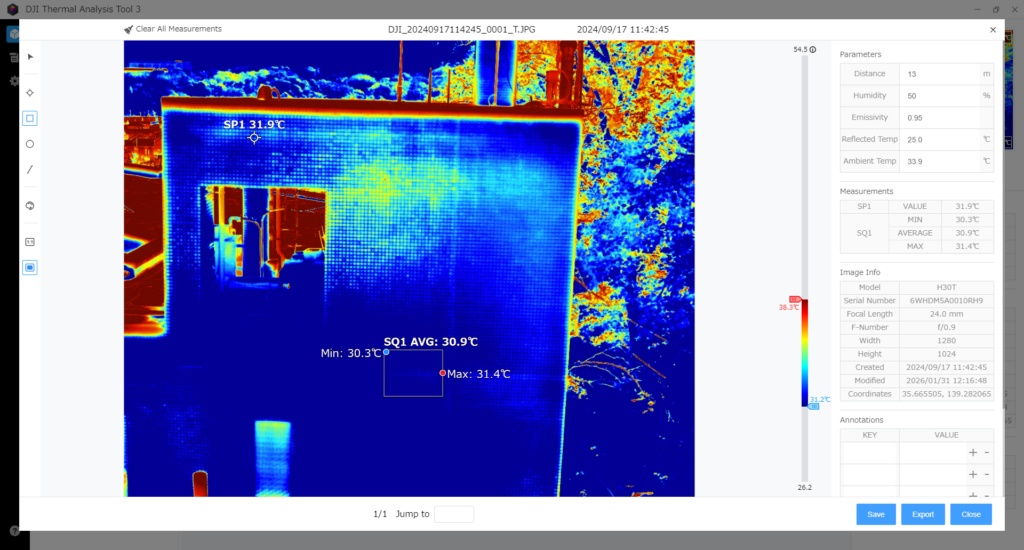
DJI Thermal Analysis Tool 3
DJI's free desktop tool. It lets you open one R-JPEG at a time and inspect temperature with spot, area, and line tools. It does not export to FLIR-compatible R-JPEG or TIFF — it is purely an inspection tool. Useful for a quick check on the laptop after a flight, but not a converter in any meaningful sense.
ThermoConverter
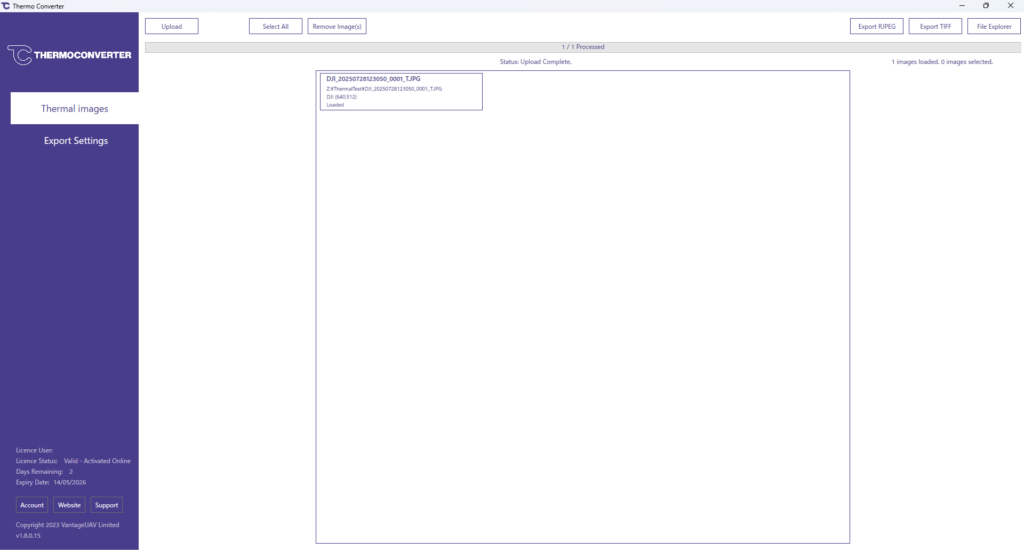
A commercial converter from an independent UK developer. It handles DJI and Autel cameras and outputs both FLIR R-JPEG and TIFF, with batch support. Pricing is published clearly: £355 per year (~$450 USD) for the subscription, or £1,195 (~$1,500 USD) for a perpetual license, billed in GBP. A trial version is available. The UI is English-only.
One caveat worth flagging: ThermoConverter's own website lists a known issue with TIFF output temperature values being inaccurate, with a fix planned. If your workflow depends on TIFF output for Pix4Dmapper or Metashape (rather than FLIR R-JPEG for FLIR Tools), check the current status of that issue on the vendor's site before purchasing.
CRITIR Convert
Our own Windows-native converter. It uses the official DJI Thermal SDK to read the raw thermal data, then re-encodes it into either FLIR-format R-JPEG or float32 TIFF — both simultaneously if you choose. It is built for batch use: drag a folder containing hundreds or thousands of R-JPEGs and the output mirrors the subfolder structure, so a survey project keeps its organization.
Pricing is $700 USD for a perpetual license (no recurring subscription), with a free trial for up to 30 conversions. Currently Windows-only; macOS is not on the immediate roadmap. See supported cameras and pricing.
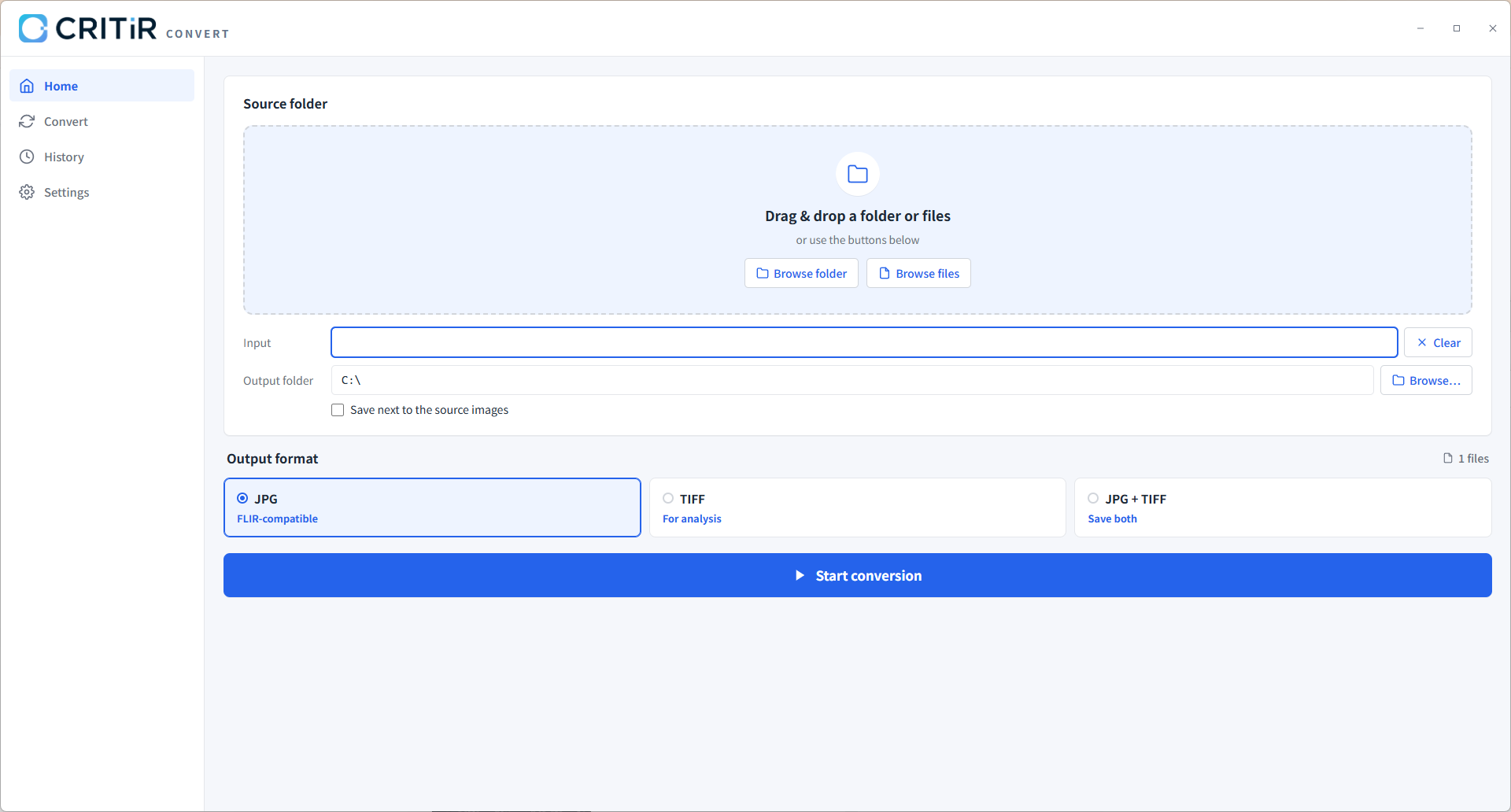
CRITIR (sister app)
CRITIR is a different category. Instead of converting DJI files into FLIR's format, it opens DJI, FLIR, and HIKMICRO thermal images natively, then runs a full inspection pipeline: wall-orthomosaic generation, automatic measurement projection, and report output (PDF / Word / Excel / DXF). For teams whose deliverable is "inspection report" rather than "temperature file in FLIR Tools," it can eliminate the conversion step entirely. Higher upfront cost, but it replaces the entire toolchain.
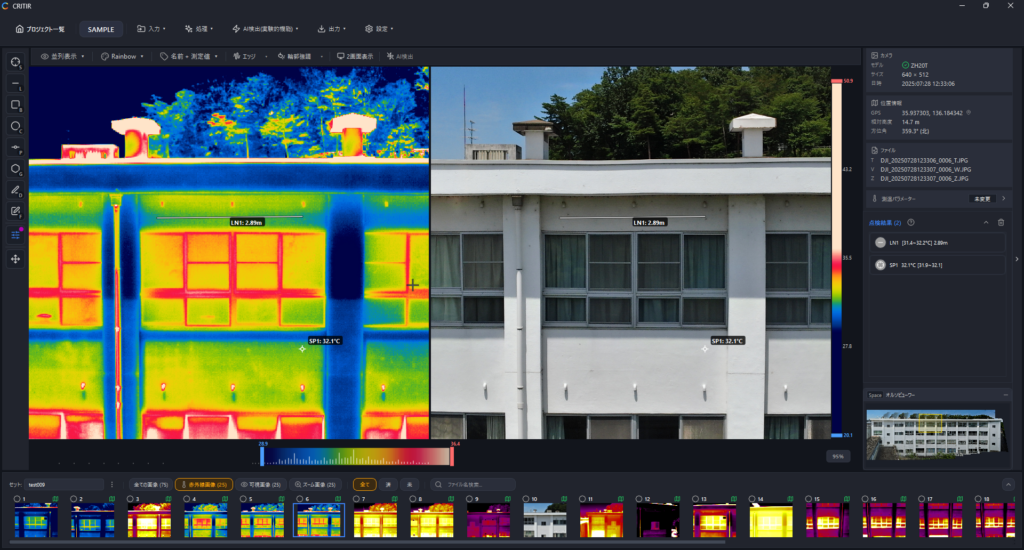
Step-by-step: DJI → FLIR R-JPEG for FLIR Tools
This walks through the conversion with CRITIR Convert. The principle is the same with other converters — the UI changes.
- Install CRITIR Convert. Download the installer, run it, and start the 20-conversion trial from the license screen.
- Drag the source folder. In Pilot 2, your thermal R-JPEGs land in a folder like
DCIM/DJI_202605181430_006/. Drag that folder onto the CRITIR Convert window. The app scans recursively and lists every R-JPEG it finds. - Pick the output format. Choose "FLIR-compatible R-JPEG" (one of three options: JPG, TIFF, or JPG+TIFF).
- Pick an output directory. Originals are never touched. Output goes to the directory you choose, with the source folder's subfolder structure preserved.
- Start the conversion. Progress is shown per file. Cancellation is supported mid-batch; partial outputs are kept.
- Verify in FLIR Tools. Open one of the converted R-JPEGs in FLIR Tools (or FLIR Thermal Studio). The visible-light preview should match, and your spot / area / line measurement tools should now return live temperature values.
- Verify metadata. Open the file's properties — capture date, GPS coordinates, drone model, and gimbal angles should all be present.
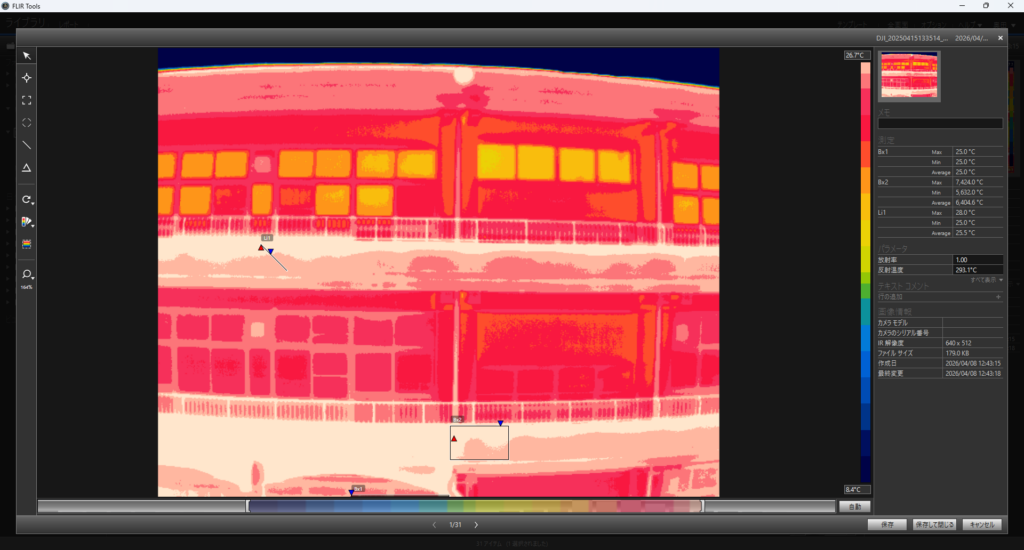
Step-by-step: DJI → TIFF for Pix4Dmapper / Metashape
For thermal orthomosaic generation, you want float32 TIFFs, not R-JPEGs. (See the DJI thermal to TIFF guide for what that format is and how it behaves in Pix4Dmapper, Metashape, QGIS, and ArcGIS.)
- Convert with CRITIR Convert as above, but choose "TIFF" (or "JPG+TIFF" if you also want the FLIR R-JPEGs for inspection).
- Verify the TIFF. Each TIFF is single-channel, float32, with values in degrees Celsius. You can open it in QGIS or ImageJ to sanity-check the temperature range.
- Import into Pix4Dmapper:
- New project → Thermal Camera template
- Add the TIFF folder
- Confirm camera parameters (Pix4Dmapper will read from EXIF where possible)
- Run "Initial Processing" → "Point Cloud and Mesh" → "DSM, Orthomosaic and Index"
- The output
.tiforthomosaic is a thermal mosaic in Celsius; export as GeoTIFF for QGIS
- Import into Metashape:
- New chunk → add the TIFF folder
- Workflow → Align Photos
- Workflow → Build Dense Cloud → Build Mesh → Build Orthomosaic
- Export Orthomosaic with the "Single-band raster" option to preserve temperature values
- Full step-by-step (Align Photos settings, Raster Transform, façade pitfalls): DJI thermal to Metashape orthomosaic: the complete TIFF workflow.
The thermal orthomosaic can then drive wall-temperature inspections, leak detection, solar panel hotspot detection, and similar applications.
Accuracy verification with real data
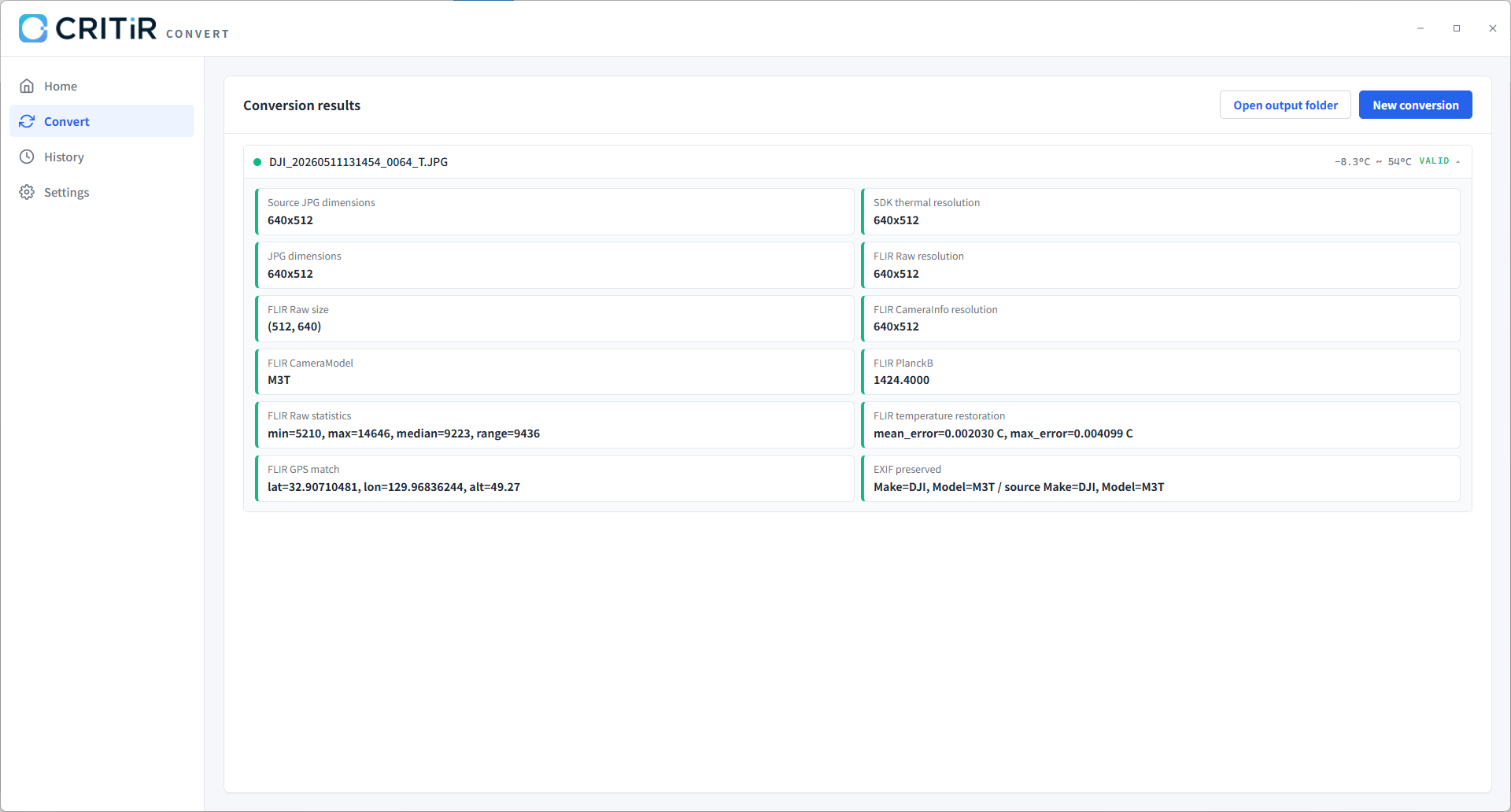
If you're going to convert temperature data, you want to know how much the conversion costs you. Here is what we measure on the CRITIR Convert pipeline:
| Output format | Typical added error | Worst observed error | Notes |
|---|---|---|---|
| Float32 TIFF | 0.0000 °C | 0.0000 °C | Lossless: the DJI SDK output is written directly as float32 |
| FLIR-compatible R-JPEG | 0.001 °C | 0.0042 °C | Round-trip through 16-bit raw + Planck constants |
Two practical points:
- The R-JPEG error is dominated by 16-bit quantization, not the converter. That is the same quantization a native FLIR camera uses when it writes its own R-JPEGs.
- The DJI Thermal SDK is doing the heavy lifting on the read side. Any converter not built on the SDK is reading the proprietary block with reverse-engineered constants — accuracy may be similar but is harder to guarantee.
Metadata that round-trips through the conversion:
- GPS latitude / longitude / altitude
- Capture timestamp
- Camera model and drone model
- Gimbal pitch / roll / yaw
- Embedded ICC color profile (for visible image)
- Emissivity, reflected temperature, atmospheric temperature, humidity, and capture distance (the measurement parameters set in flight)
The last point matters more than it sounds. The measurement parameters you set in DJI Pilot 2 before the flight determine the temperature numbers FLIR Tools reports after conversion. If those values don't carry through, the converted file is internally consistent but wrong against ground truth.
Alternative: skip the conversion step with CRITIR
A reasonable question after reading the above: do I have to convert at all?
If your end deliverable is "I open the file in FLIR Tools and write a report," then yes — you need a converter, because FLIR Tools is the deliverable. CRITIR Convert (or one of the alternatives) is the right tool.
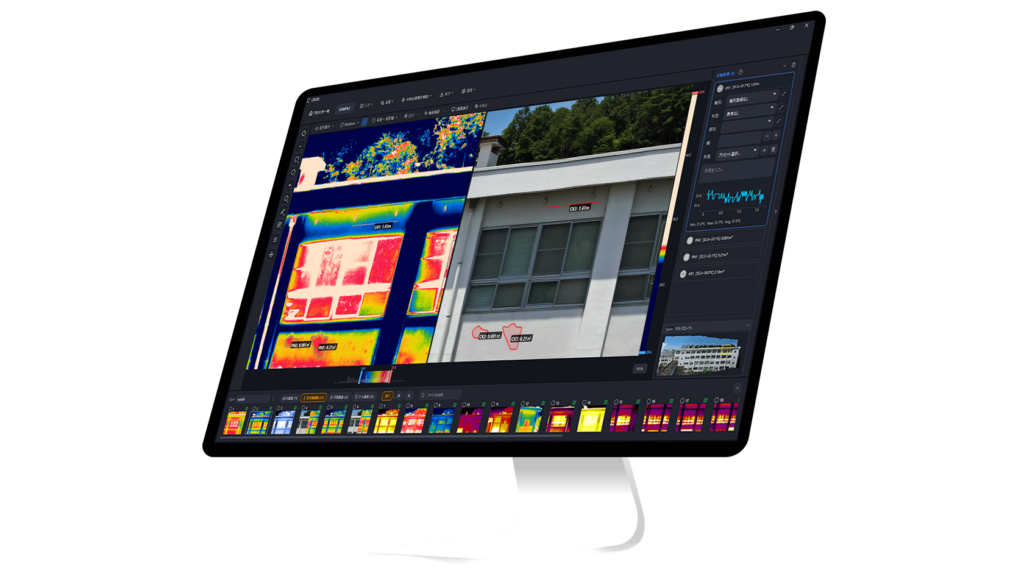
If your end deliverable is "I produce a thermal inspection report for a building, a solar farm, or a substation," there is another path: CRITIR. CRITIR reads DJI, FLIR, and HIKMICRO thermal files natively — no conversion — and includes the rest of the toolchain in one app:
- Wall and surface orthomosaic generation
- Spot / area / line measurements that automatically re-project across all images and the orthomosaic
- Report templates (PDF, Word, Excel, DXF)
The trade-off is upfront cost (higher than a converter alone) and lock-in to one analysis environment. For teams that produce thermal inspection reports as their core deliverable, the conversion-free workflow is often more economical over a year.
FAQ
How accurate is the temperature after conversion? TIFF output is lossless (zero added error vs the DJI SDK reading). FLIR R-JPEG output has a typical added error around 0.001 °C with worst-case observed around 0.0042 °C. This is well below the measurement noise of any commercial radiometric drone camera.
Can I batch convert hundreds or thousands of images? Yes. CRITIR Convert is designed for folder-level batch conversion; subfolder structure is preserved in the output. We've run jobs with several thousand images without issues.
Is there macOS support? CRITIR Convert is currently Windows-only (Windows 10 / 11, 64-bit). macOS is not on the immediate roadmap. If you are macOS-only, our managed conversion service is the most realistic path — you send us the R-JPEGs and we return the FLIR-compatible files.
Are my original DJI files modified? No. Conversion writes to a separate output folder. Originals stay untouched.
Does the conversion preserve GPS and capture timestamps? Yes — including drone model, gimbal angles, and the measurement parameters you set in Pilot 2.
Does it convert DJI thermal video (MP4)? Not currently. CRITIR Convert handles still R-JPEGs only. For thermal video you would extract frames first.
Why might a conversion fail? Three common reasons: (1) the file is from an unsupported camera; (2) the file is a visible-light JPEG, not a thermal R-JPEG (DJI often saves a pair); (3) the file is corrupted or truncated.
Can I re-run the conversion if I need to? Yes. Re-running produces fresh output files. Because conversion is deterministic, two runs on the same input produce identical output.
If you want to try CRITIR Convert against your own data, download the app and start the no-sign-up trial for up to 30 conversions. If your dataset is large and you'd rather have us run the conversion as a service, our managed conversion service starts at $45 per project. For any technical questions, drop us a note.
Try CRITIR Convert
Convert DJI thermal R-JPEGs into FLIR-compatible files. Free trial with up to 30 conversions.
See the product page