
DJI Zenmuse H30T thermal: the complete guide to FLIR Tools and Pix4D conversion
Convert DJI Zenmuse H30T thermal R-JPEGs (native 1280×1024 thermal sensor) into FLIR-compatible files for FLIR Tools, Thermal Studio, and Pix4Dmapper. Real H30T accuracy benchmarks, step-by-step workflow, and H20T migration notes.
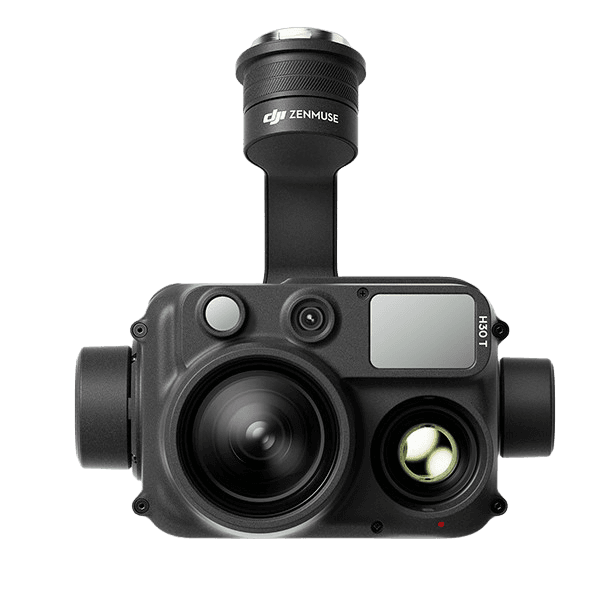
The DJI Zenmuse H30T is the current top-tier inspection payload for the Matrice 400 / 350 RTK / 300 RTK family — a four-sensor gimbal pairing a native 1280×1024 uncooled VOx thermal core, a wide camera, a 34× optical zoom, a 3–3000 m laser rangefinder, and a near-infrared auxiliary light. For utilities, public safety, and long-range industrial inspection teams, the H30T is what replaced the H20T as DJI's flagship multi-sensor inspection payload, with the thermal core jumping from 640×512 on the H20T to a genuinely larger 1280×1024 sensor on the H30T.
What it does not replace is the DJI–FLIR format gap: the H30T's thermal output is a DJI-proprietary R-JPEG that FLIR Tools, FLIR Thermal Studio, Pix4Dmapper, and Agisoft Metashape cannot read as temperature data. This guide is the practical fix — what's actually inside an H30T R-JPEG, what changes versus the H20T workflow, how to convert into FLIR-compatible R-JPEG or float32 TIFF, and a real round-trip accuracy benchmark measured on actual H30T captures.
TL;DR
- H30T thermal R-JPEGs are not readable by FLIR Tools, Thermal Studio, Pix4Dmapper, or Metashape. The
.JPGcontainer is the same as FLIR's, but the radiometric block inside is DJI-proprietary. - The fix is conversion to one of two formats: FLIR-compatible R-JPEG (for the FLIR ecosystem) or single-channel float32 TIFF at 1280×1024 (for Pix4Dmapper, Metashape, QGIS, ImageJ).
- Accuracy on real H30T data is excellent. Float32 TIFF round-trip is bit-exact (0.000 °C added error). FLIR R-JPEG round-trip stays at 0.001608 °C average / 0.003748 °C max on real M350 RTK + H30T captures — about 1/13 of the H30T's own NETD spec (≤ 50 mK).
- H20T pipelines port to H30T, but each frame now has 4× the pixel count. The H30T's thermal sensor is natively 1280×1024 — four times the per-image pixel count of H20T / M30T / M4T (all 640×512). TIFF files are larger, Pix4D / Metashape orthomosaics get more thermal detail, and processing time scales accordingly.
- Recommended path: CRITIR Convert for batch conversion on Windows. For teams that want to skip conversion entirely, the sister app CRITIR reads H30T thermal directly alongside the wide/zoom visible streams.
What is the DJI Zenmuse H30T?
The H30T is a swappable Zenmuse gimbal payload for the Matrice 350 RTK, not an integrated airframe. That distinction matters operationally: the same M350 RTK can fly an H30T mission today and an L2 LiDAR mission tomorrow with a hot-swap. The H30T itself bundles four sensors plus a laser rangefinder and NIR auxiliary light into one gimbal, with the thermal payload being the relevant one for this guide.
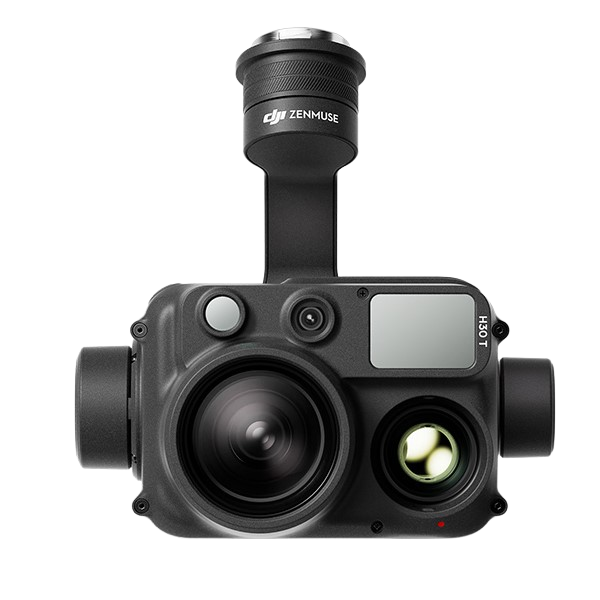
Thermal-relevant specs (per DJI's official Zenmuse H30 Series specs):
| Spec | Value |
|---|---|
| Thermal sensor (native) | 1280 × 1024 uncooled VOx microbolometer |
| Thermal sensitivity (NETD) | ≤ 50 mK @ f/1.0 |
| Spectral band | 8–14 μm |
| Temperature range (no ND filter) | −20 °C to +150 °C (high gain) / 0 °C to +600 °C (low gain) |
| Temperature range (with IR ND filter) | −20 °C to +450 °C (high gain) / 0 °C to +1600 °C (low gain) |
| Output format | DJI radiometric JPEG (R-JPEG) |
| Thermal file extension | .JPG |
| Filename pattern | DJI_<datetime>_<sequence>_T.JPG |
| EXIF model identifier | Model=H30T |
| Host platform | Matrice 400 / Matrice 350 RTK / Matrice 300 RTK (requires DJI RC Plus) |
The four-sensor head also produces visible wide (_W), telephoto/zoom (_Z), and (when laser ranging is engaged) measurement-tagged files in the same flight folder, but only the _T.JPG files are thermal — those are the inputs for conversion.
The 1280×1024 figure is worth highlighting. Unlike the M30T or M4T — whose thermal sensors are 640×512 — the H30T's microbolometer is natively 1280×1024. From a downstream conversion standpoint, you are getting four times the pixel count per frame than from any previous DJI thermal camera, with the same per-pixel radiometric accuracy.
What's inside an H30T thermal R-JPEG
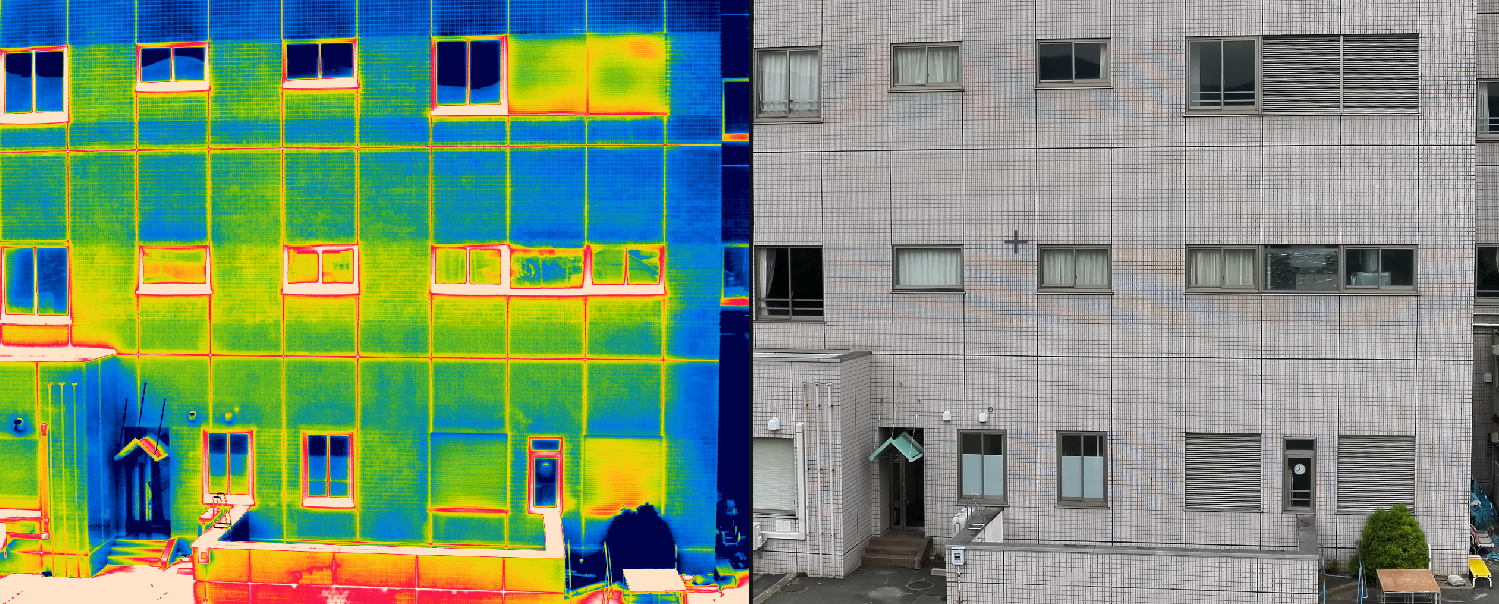
Open an H30T _T.JPG and you find a standard JPEG container plus DJI's proprietary radiometric block in the APP1 marker area:
| Block | Content |
|---|---|
| JPEG image size (header) | 1280 × 1024 |
| Raw thermal data | 1280 × 1024 16-bit integer (sensor-native resolution) |
| Measurement parameters | Emissivity, reflected temperature, atmospheric temperature, humidity, distance — as set in DJI Pilot 2 |
| Camera info | Model=H30T, gimbal yaw / pitch / roll, lens parameters |
| GPS / timestamp | Latitude, longitude, altitude, capture time (UTC + local) |
| Laser-rangefinder distance | When LRF is enabled, target distance is embedded as part of the metadata block |
The complication is structural. FLIR Tools and Thermal Studio look for a FLIR FFF (FLIR File Format) block. The DJI R-JPEG does not contain one — it has DJI's own radiometric layout instead. Open an H30T R-JPEG directly in FLIR Tools and you see the visible preview, but spot, area, and line measurement tools return nothing. Pix4Dmapper and Metashape have the same problem from a different angle: they handle thermal data when it is delivered as a recognized format (FLIR R-JPEG, WIRIS TIFF, or single-channel float TIFF), but DJI's proprietary block is not on the supported list.
From H20T to H30T: what changed for thermal data
If you have been running an H20T pipeline on Matrice 300 RTK and are migrating to H30T on Matrice 350 RTK, here's the diff on the data side:
| Property | H20T | H30T | Migration impact |
|---|---|---|---|
| Thermal sensor (native) | 640 × 512 uncooled VOx | 1280 × 1024 uncooled VOx | 4× pixel count per frame — same uncooled VOx detector family but a genuinely larger array. TIFF files are bigger, Pix4D / Metashape get more thermal detail, processing time scales accordingly |
| NETD | ≤ 50 mK | ≤ 50 mK | Same |
| Temperature range (low gain) | up to +500 °C | up to +600 °C (or +1600 °C with IR ND filter) | Wider headroom for hot targets |
| File extension | .JPG (R-JPEG) | .JPG (R-JPEG) | Same |
EXIF Model | ZH20T | H30T | Different — adjust if you filter or aggregate by model |
| Visible cameras | Wide + 23× zoom | Wide + 34× zoom + NIR aux | Larger _W / _Z set; NIR aux is a zoom-camera aid and does not affect thermal |
| Laser rangefinder | 3–1200 m | 3–3000 m | LRF data is now embedded for longer-range inspections |
| Host platform | Matrice 300 RTK | Matrice 400 / 350 RTK / 300 RTK (with DJI RC Plus) | Mission planning and battery side — neutral for thermal data |
Practically, the H20T thermal conversion workflow ports to H30T with no code change on the temperature path. CRITIR Convert dispatches internally on the EXIF Model string, but to the operator the steps are identical to an H20T job. The new variable is processing volume — each H30T frame contains four times the temperature samples, so disk usage and downstream SfM time grow accordingly.
Step-by-step: H30T → FLIR R-JPEG for FLIR Tools
Walking through the conversion with CRITIR Convert. The principle is identical with any DJI Thermal SDK-based converter — only the UI changes.
- Launch CRITIR Convert and open Home (or Convert) in the left sidebar.
- Drop your DJI Pilot 2 export folder onto the Source folder area. The H30T flight folder typically contains
_T,_W,_Z, and sometimes laser-ranging marker files — only the_T.JPGthermal files are picked up. Subfolders are walked recursively. - Choose output format: select JPG (FLIR-compatible).
- Pick an output folder. Originals are never modified — output goes to a separate directory while preserving the source's subfolder layout.
- Start conversion. Each H30T frame takes a few hundred milliseconds — slightly longer than M30T / M4T because of the 4× larger thermal array — and a 200-image H30T inspection mission typically completes in 3–5 minutes.
- Open one converted R-JPEG in FLIR Tools or FLIR Thermal Studio. Spot, area, and line measurement tools should now return live temperatures.
Emissivity, reflected temperature, atmospheric temperature, humidity, and distance — the parameters you set in DJI Pilot 2 or per-shot via the H30T's measurement UI — carry through the conversion automatically. You do not re-enter them in FLIR Tools; the same numbers come back.
Step-by-step: H30T → TIFF for Pix4Dmapper / Metashape
For thermal orthomosaic generation, the right output is float32 TIFF.
- In CRITIR Convert, set Output format to TIFF (For analysis) — or JPG + TIFF if you want both formats in one pass.
- Run the conversion. Each output is a 1280 × 1024 single-channel float32 TIFF with pixel values in degrees Celsius. Sanity-check the temperature range in QGIS or ImageJ.
- In Pix4Dmapper:
- New project → Thermal Camera template
- Add the TIFF folder. GPS and camera info are read from EXIF automatically.
- Run Initial Processing → Point Cloud and Mesh → DSM, Orthomosaic and Index
- Export the orthomosaic as GeoTIFF for QGIS or ArcGIS
- In Agisoft Metashape:
- New chunk → add the TIFF folder
- Workflow → Align Photos → Build Point Cloud → Build DEM → Build Orthomosaic
- Export Orthomosaic → choose Single-band raster to preserve temperature values
- Full settings walkthrough and orthomosaic-specific gotchas: the Metashape thermal orthomosaic guide.
Existing H20T or M30T project templates work as-is — the metadata layout and pixel-value semantics (°C float32) match. Plan for longer SfM processing time on H30T missions of the same image count, because each frame is 4× the pixel count.
What the orthomosaic looks like
Once those H30T TIFFs go through Metashape, the result is a single-band temperature raster that can be rendered with any color palette, measured pixel-wise, or exported to QGIS / ArcGIS as a GeoTIFF. Below is one example output from the same TIFF + Metashape pipeline:
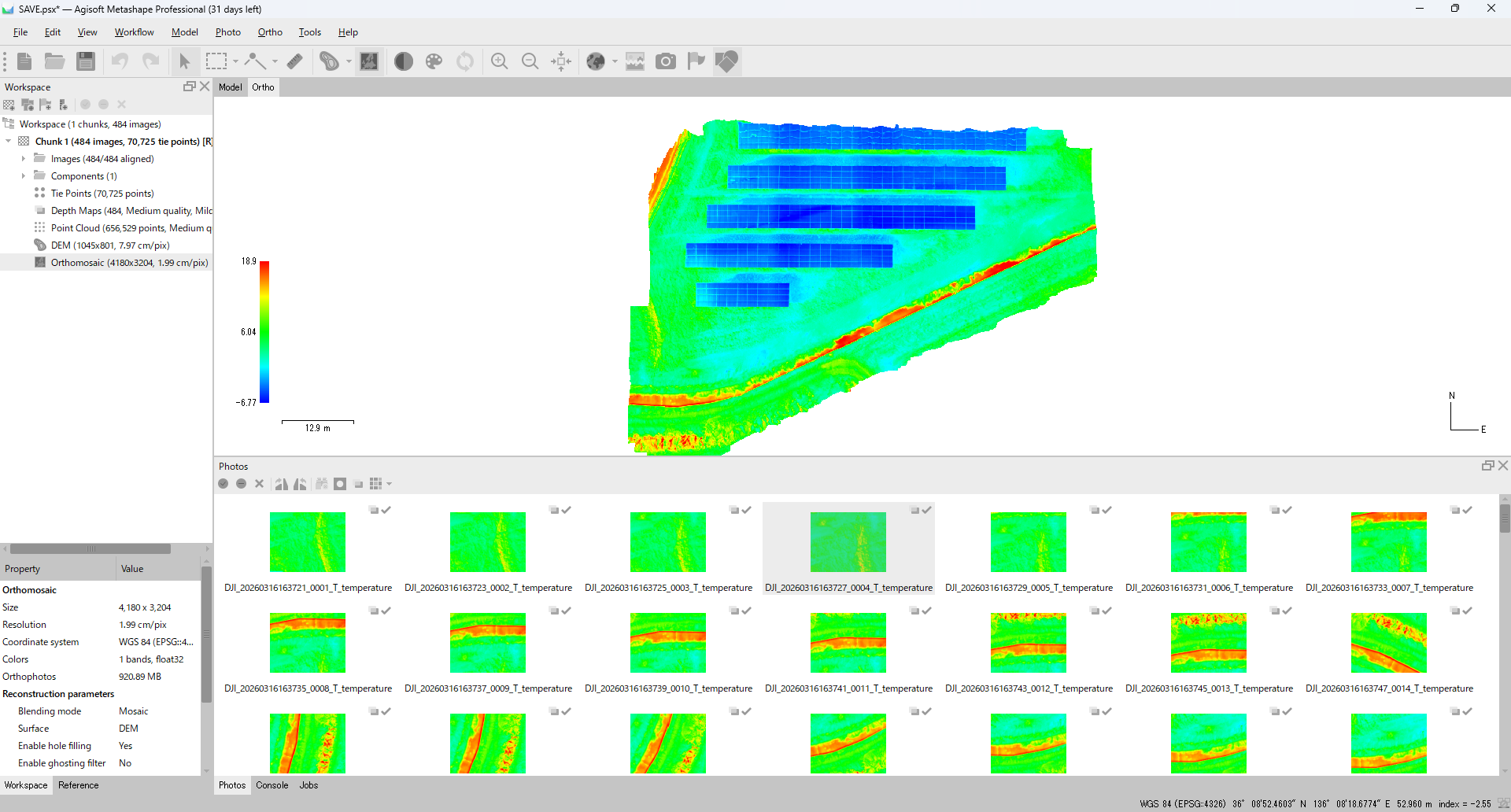
Full step-by-step instructions for this Metashape pipeline — Align Photos, Build Point Cloud, Build DEM, Build Orthomosaic, single-band raster export — are in the Metashape thermal orthomosaic guide.
Accuracy verification with real H30T data
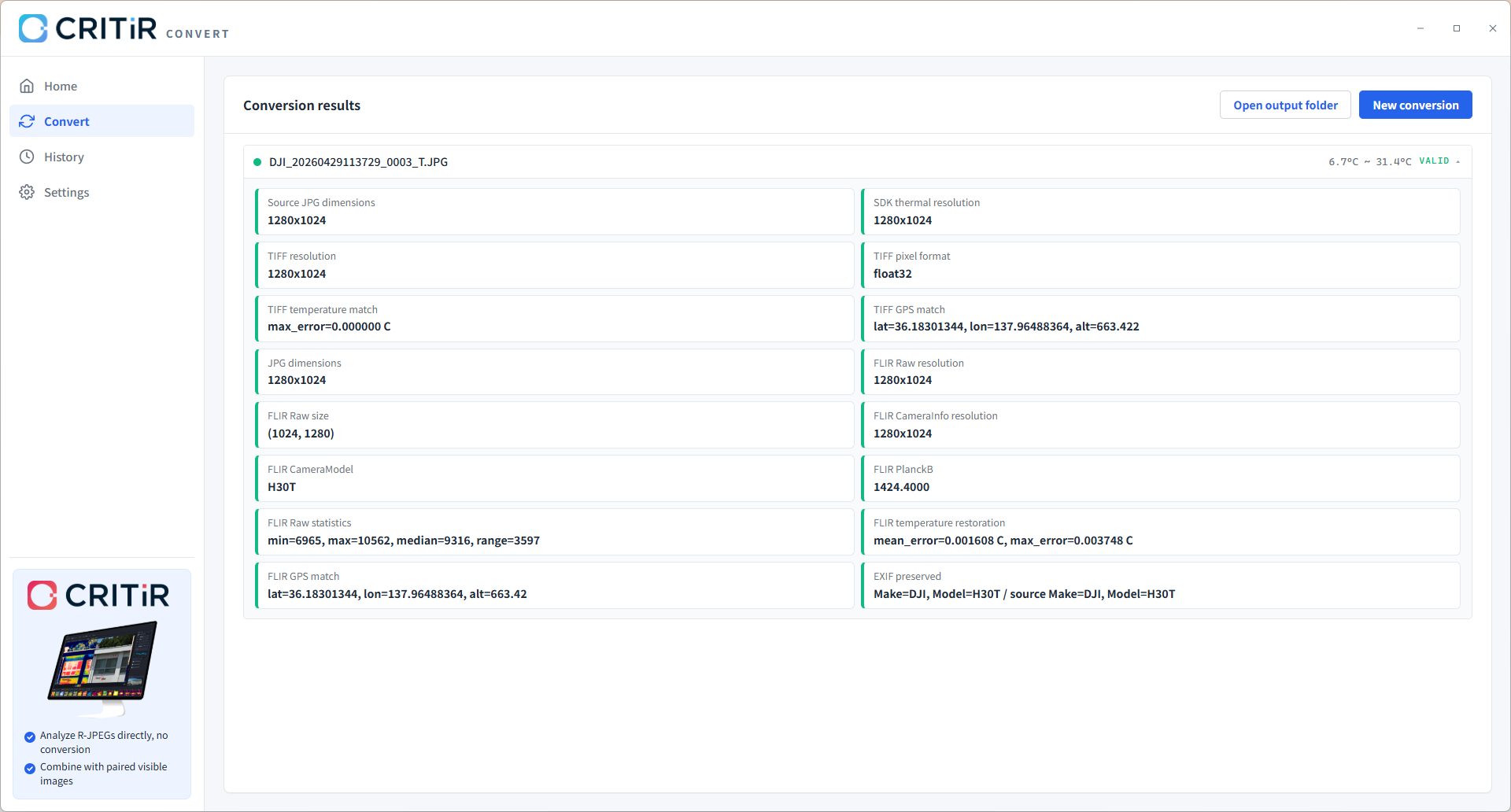
We ran a representative H30T thermal R-JPEG (DJI_20260429113729_0003_T.JPG, temperature range 6.7 °C – 31.4 °C, captured by an M350 RTK + H30T at lat = 36.18301344, lon = 137.96488364, alt = 663.422 m) through CRITIR Convert and measured the round-trip error:
| Output format | Mean error | Max error | Resolution |
|---|---|---|---|
| TIFF (float32) | 0.000000 °C | 0.000000 °C | 1280 × 1024 |
| FLIR R-JPEG | 0.001608 °C | 0.003748 °C | 1280 × 1024 (FLIR Raw) |
A few takeaways:
- TIFF is bit-exact. The DJI Thermal SDK reads out a float temperature array, which CRITIR Convert writes straight to float32 TIFF. Round-trip error is literally zero — there is no intermediate quantization step.
- The FLIR R-JPEG error comes from 16-bit raw + Planck re-encoding. The thermal array must be re-quantized to fit FLIR's 16-bit raw layout with per-image Planck constants (PlanckB ≈ 1424.4 on this capture), and that round trip introduces a sub-millikelvin drift. The maximum error of 0.003748 °C is roughly 1/13 of the H30T's own NETD spec (≤ 50 mK = 0.05 °C) — comfortably below sensor noise.
- The output is full-resolution. TIFF and FLIR Raw are both written at the 1280×1024 native sensor resolution. No downsampling.
- GPS is preserved precisely. Test capture: lat = 36.18301344, lon = 137.96488364, alt = 663.422 m → carried through to both TIFF and FLIR R-JPEG to the 8th decimal.
- EXIF Make / Model survive the round-trip.
Make=DJI, Model=H30Tis preserved on the output side, so downstream tools that key on model name continue to work.
For inspection workflows where temperature differentials are reported in tenths of a degree, this conversion error is invisible.
H30T-specific pitfalls
A few things to watch for that come up specifically with H30T data:
- The four-sensor flight folder is much bigger than M30T / M4T. An H30T sortie typically produces
_T(thermal),_W(wide visible),_Z(zoom visible), and sometimes auxiliary visible frames per capture event. Make sure your converter is filtering to thermal only — CRITIR Convert does this automatically. - Plan for 4× the disk and processing time. Because the H30T's thermal frame is 1280×1024 (vs 640×512 on H20T / M30T / M4T), float32 TIFF outputs are about 5 MB per frame instead of 1.3 MB, and Pix4D / Metashape SfM steps scale accordingly. On a several-thousand-image mission, this is a real difference.
- LRF distance is metadata, not depth per pixel. The H30T's laser rangefinder records a single distance per capture event (when active). It is not a per-pixel depth map and does not feed into the temperature calculation; emissivity, reflected temperature, atmospheric temperature, and humidity remain the relevant radiometric parameters.
- NIR auxiliary light is a zoom-camera aid, not a thermal one. Per DJI's official spec, the 850 nm NIR illuminator supports low-light observation through the zoom camera only — it does not feed the wide camera, and it has no effect on thermal capture. Temperature accuracy is the same with or without NIR on.
- M350 RTK firmware version matters. Older M350 firmware revisions occasionally write slightly different XMP layouts in H30T R-JPEGs. If conversion fails on a small subset of files from a specific flight, check whether they were captured on an outlying firmware version and update the aircraft first.
- Thermal video (MP4) is not handled. As with M30T / M4T, conversion tools operate on stills only. Extract frames first if video is the source.
The "don't convert at all" alternative
This guide is built around conversion — H30T to FLIR Tools or H30T to Pix4Dmapper. CRITIR Convert's accuracy and batch performance are production-grade, but the underlying fact remains: conversion is an extra step in your workflow, and for H30T missions that already involve four sensors, a laser rangefinder, and an M350 RTK flight plan, the simpler the post-flight pipeline, the better.
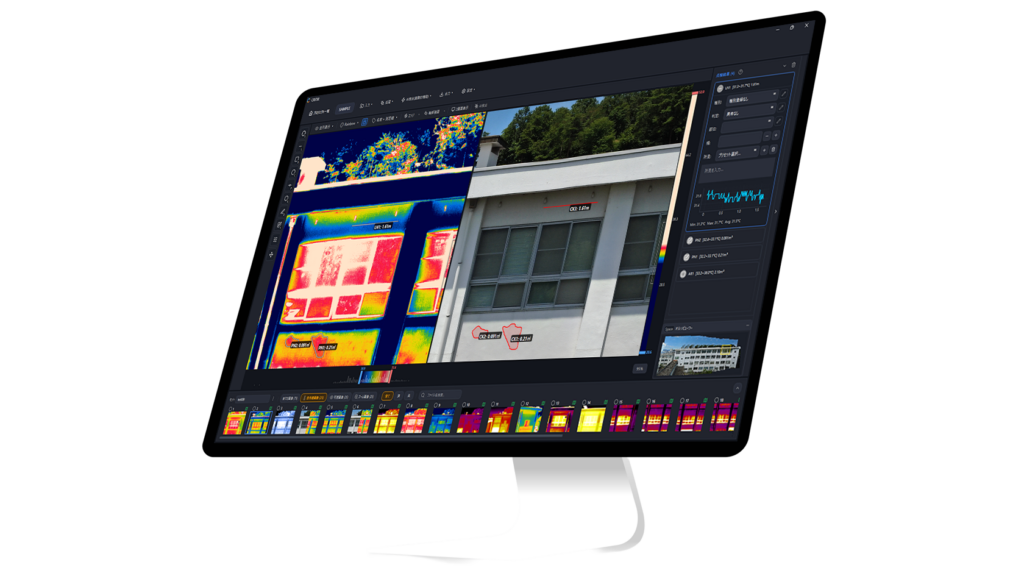
There is another path. The sister app CRITIR reads DJI thermal R-JPEGs (including H30T) directly, then handles measurement, orthomosaic generation, and inspection report output inside a single application. The conversion step disappears, and the H30T's paired wide and zoom visible streams are loaded side-by-side with the thermal so a single measurement projects across all of them.
What CRITIR does
| Capability | Detail |
|---|---|
| Direct DJI ingest | H30T, M30T, M4T, and every other DJI thermal camera open natively. Zero conversion step. |
| FLIR and HIKMICRO support | Existing FLIR datasets and HIKMICRO files open in the same app. |
| Visible + thermal side-by-side | Wide / zoom / thermal layers from the H30T are displayed together; measurements auto-project across layers. |
| Built-in orthomosaic generation | Wall and surface thermal orthomosaics generated inside CRITIR — no Pix4Dmapper or Metashape required. |
| Report templates | Export PDF / Word / Excel / DXF. Custom layouts via the template builder. |
| Measurement auto-projection | A single measurement point is projected onto every related image and onto the orthomosaic. |
Convert vs CRITIR: which one fits an H30T fleet
| Your situation | Recommended tool |
|---|---|
| You want to keep your FLIR Tools / Thermal Studio workflow | CRITIR Convert |
| You want Pix4Dmapper / Metashape at the center of the pipeline | CRITIR Convert |
| You generate facade or thermal orthomosaics as a routine deliverable | CRITIR |
| You want one tool from drone images to signed inspection report | CRITIR |
| Wide / zoom / thermal overlay analysis (typical for H30T inspection work) is central | CRITIR |
| You run a high-volume inspection pipeline on M350 RTK | CRITIR |
| You handle occasional spot conversions | CRITIR Convert |
The honest question is total workflow cost. Once you factor in time spent on conversion + separate analysis + manual report assembly across an H30T fleet, the breakeven tips toward CRITIR as inspection volume grows. For a quote scoped to your annual H30T mission count, or to schedule a demo / trial, get in touch.
FAQ
- Does my H20T or M30T CRITIR Convert license also cover H30T?
- Yes. CRITIR Convert is not licensed per camera model — the same license converts H20T, M30T, M4T, and H30T data interchangeably.
- Can it convert H30T thermal video?
- Currently still images (R-JPEG) only. For thermal video, extract frames to images first.
- Does the laser rangefinder distance carry through to the converted output?
- Yes. The LRF-measured distance is preserved in the output metadata. Downstream FLIR Tools or analysis software can read it as part of the standard radiometric parameters.
- Why are H30T TIFFs so much bigger than M30T / M4T TIFFs?
- The H30T's thermal sensor is natively 1280×1024 — four times the per-frame pixel count of the M30T or M4T (640×512). A float32 TIFF at 1280×1024 is about 5 MB versus ~1.3 MB at 640×512. The radiometric content is the same accuracy per pixel; you just get more pixels.
- Why does my conversion fail on some H30T files?
- Three common causes: (1) the file is a visible-light JPEG (
_Wor_Zsuffix), not thermal; (2) the file was truncated mid-write during flight; (3) very rarely, an outlying M350 RTK firmware version we have not verified. Send us a sample at the contact form if you hit case (3). - Is there a per-image limit when batch-converting H30T missions?
- No software-imposed limit. Drop the entire flight folder; subfolder structure is preserved on output. We've run jobs with several thousand H30T images without issues — budget for somewhat more disk space than an equivalent M30T job.
- How can I try this on my own H30T data?
- Install CRITIR Convert and start the no-sign-up trial in the app for up to 30 conversions. We also run a managed conversion service if you'd rather send us the files and receive the converted outputs.
The full list of supported DJI cameras (including H30T) is on the compatibility page. Pricing is on the pricing page. For technical questions specific to your H30T workflow, send us a note.
Related guides:
- DJI Matrice 4T thermal conversion guide — the M4T integrated airframe counterpart
- Convert DJI thermal to FLIR Tools and Pix4D — full tool comparison — the broader landscape of DJI → FLIR conversion tools in 2026
- Metashape thermal orthomosaic guide — TIFF → Metashape orthomosaic, step-by-step
Try CRITIR Convert
Convert DJI thermal R-JPEGs into FLIR-compatible files. Free trial with up to 30 conversions.
See the product page