
Convert DJI Thermal R-JPEG to float32 TIFF for Mapping (2026)
Convert DJI thermal R-JPEGs into a float32 °C TIFF for Pix4Dmapper, Metashape, and QGIS — why a plain 'Save as TIFF' fails and how temperatures stay accurate.
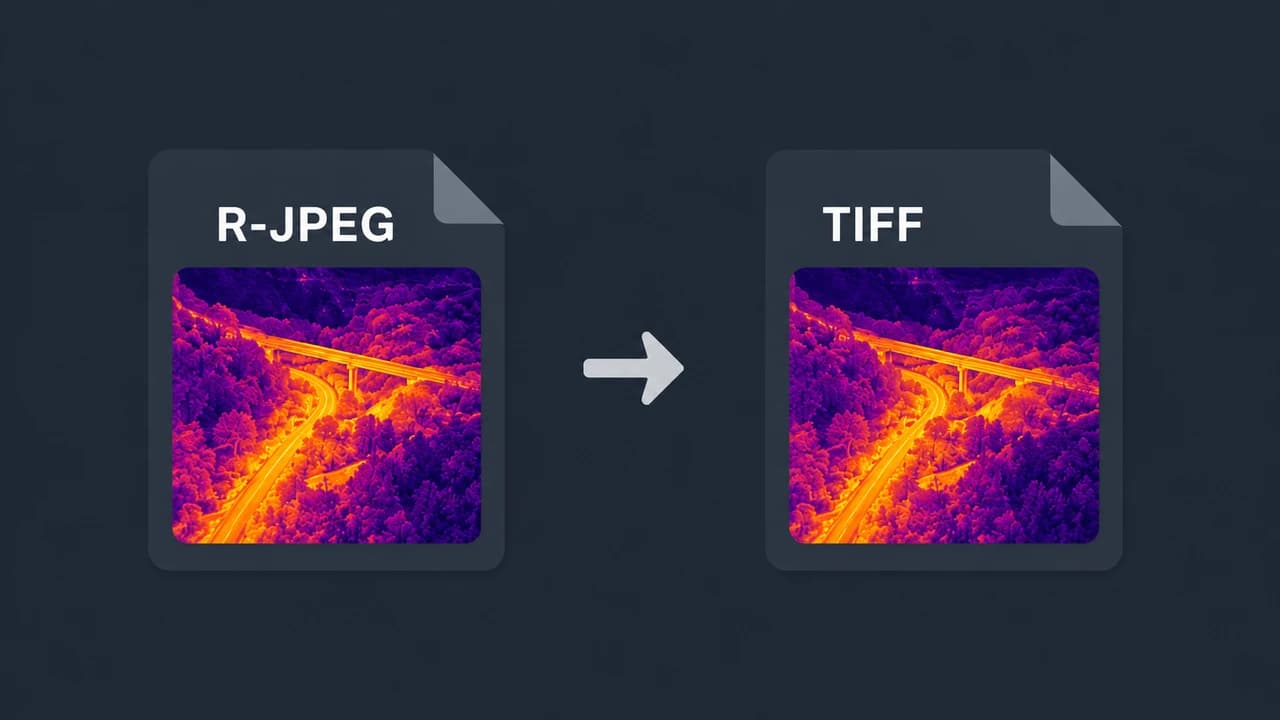
If you need DJI thermal data inside a mapping or GIS tool — Pix4Dmapper, Agisoft Metashape, QGIS, ArcGIS — the practical way to get the temperatures in is a single-channel float32 TIFF in degrees Celsius, not the .JPG your DJI drone produces. A DJI R-JPEG is a proprietary radiometric JPEG, and simply renaming or "saving as TIFF" gives you a flat 8-bit picture with no temperature in it.
This guide explains exactly what kind of TIFF you need, why the DJI file isn't one, how to produce it, and how the result behaves downstream — including keeping accurate temperatures and the GPS needed for georeferencing.
TL;DR
- The target format is a float32 TIFF. One channel, 32-bit floating point, where each pixel value is the temperature in °C. This is what Pix4Dmapper, Metashape, QGIS, and ArcGIS can read as temperature.
- A DJI R-JPEG is not that. It's a JPEG container with DJI's proprietary thermal block. "Save as TIFF" in an image viewer produces an 8-bit RGB visual — the temperatures are gone.
- You convert, not export. CRITIR Convert re-encodes the DJI R-JPEG into a float32 °C TIFF using the official DJI Thermal SDK, and carries the GPS / timestamp through so the images can be georeferenced.
- Accuracy. A float32 TIFF stores the exact °C values the DJI Thermal SDK decodes, so the conversion adds no temperature error — a bit-exact, 0.0000 °C round-trip. Every conversion is automatically verified against the original DJI file.
- For the orthomosaic itself, see the DJI thermal Metashape orthomosaic guide. For FLIR Tools instead of mapping, see opening DJI thermal images in FLIR Tools.
Why a DJI R-JPEG isn't a usable thermal TIFF
A DJI thermal image is a JPEG (.JPG) with a normal visible-light picture plus a DJI-specific block holding the raw thermal data. Two things make it unusable as a mapping input:
- It's a JPEG, not a TIFF, and the thermal payload is in a proprietary structure that mapping software doesn't parse.
- The temperatures are encoded, not stored as readable pixel values. Recovering them requires DJI's own SDK and the per-image capture parameters (emissivity, reflected temperature, humidity, distance).
So the issue isn't the container alone — converting the file to a TIFF in a photo editor just wraps the 8-bit visible picture in a TIFF. You get an image that looks thermal-ish (if you exported a colorized preview) but whose pixels are 0–255 brightness values, not temperatures. No mapping or GIS tool can measure from that.
What kind of TIFF you actually need
Mapping and GIS pipelines expect a radiometric raster: one band, 32-bit float, pixel value = temperature.
| Property | Wrong ("Save as TIFF") | Right (radiometric TIFF) |
|---|---|---|
| Channels | 3 (RGB) | 1 (single band) |
| Bit depth | 8-bit integer | 32-bit float |
| Pixel value | Brightness 0–255 | Temperature in °C |
| Usable for measurement | No | Yes |
| GPS for georeferencing | Often stripped | Preserved |
With a float32 °C TIFF, a pixel reading of 36.7 literally means 36.7 °C. That is what lets Pix4Dmapper and Metashape build a thermal orthomosaic you can measure, and what lets QGIS/ArcGIS style and analyze by temperature.
How to convert DJI thermal R-JPEGs to TIFF
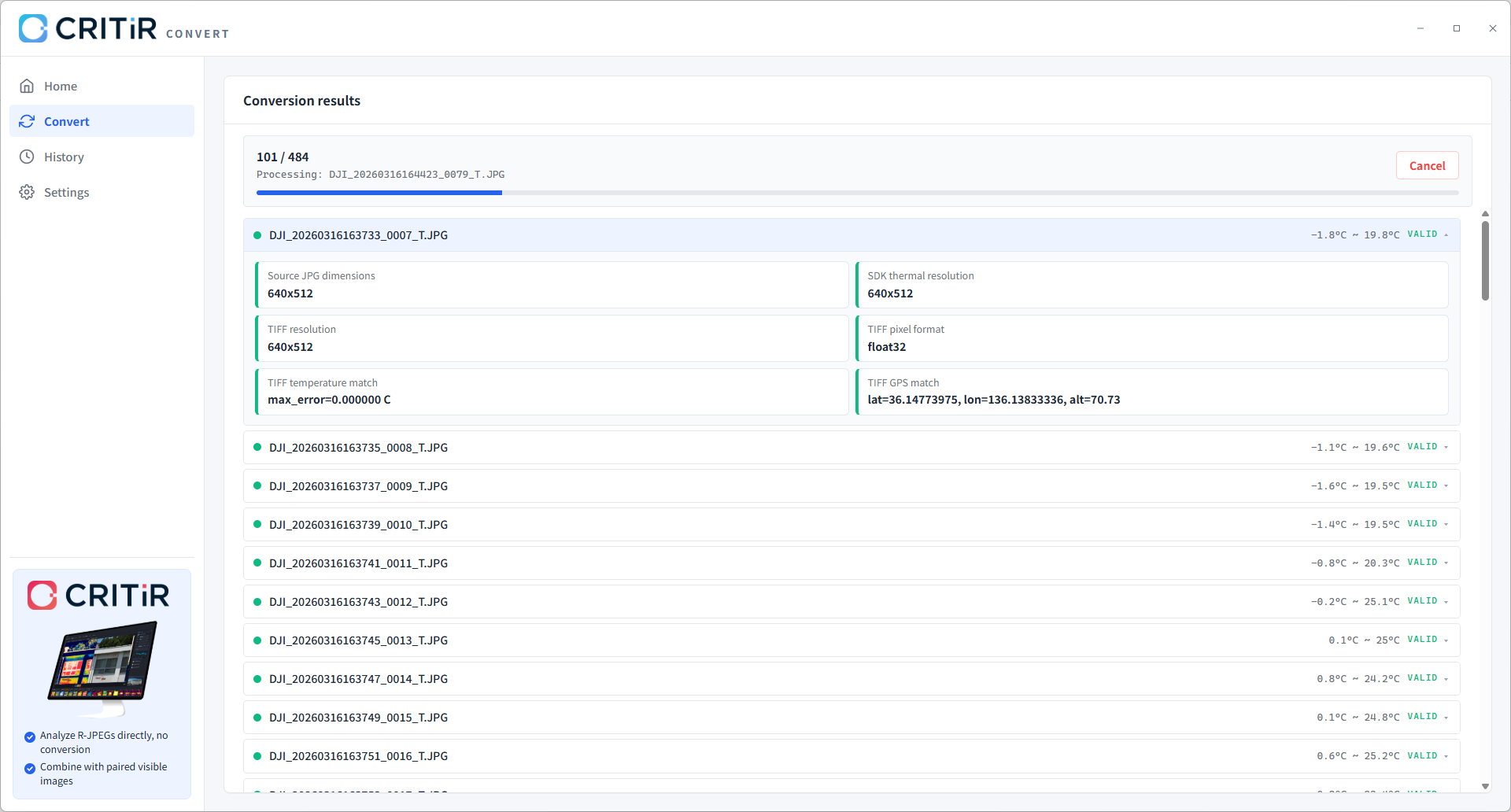
CRITIR Convert re-encodes the DJI R-JPEG into a single-channel float32 °C TIFF using the official DJI Thermal SDK, so the temperature decode matches DJI's own pipeline.
- Gather the radiometric files. Each DJI capture is a pair — a wide/zoom visible image and the radiometric thermal file (typically
*_T.JPG, though the suffix can vary by model and firmware). The thermal file is the radiometric one. - Drop the folder into CRITIR Convert, choose output format TIFF (float32 °C), pick an output folder, and start. Originals are never modified; converted copies are written to a separate folder, mirroring the subfolder layout. There is no per-file limit, so an entire flight converts in one pass.
- GPS, capture timestamp, camera/drone model, and gimbal angles are carried through, which is what later lets the mapping software georeference and align the images.
Using the TIFF in Pix4Dmapper, Metashape, QGIS, and ArcGIS
- Pix4Dmapper — add the float32 TIFFs as a thermal project; the GPS in each file drives the initial alignment, and the orthomosaic preserves temperature as pixel values. A TIFF only carries temperature when it is float32 with °C values — a plain grayscale TIFF does not, which is why the radiometric conversion matters.
- Agisoft Metashape — add the TIFFs, set the Raster Transform so single images and the orthomosaic display real °C, then build the orthomosaic. The full step-by-step is in the DJI thermal Metashape orthomosaic guide.
- QGIS / ArcGIS — open the float32 TIFF (or the exported orthomosaic GeoTIFF) directly. Because the single band holds °C, you can apply a color ramp, read values with the identify tool, and run raster analysis by temperature.
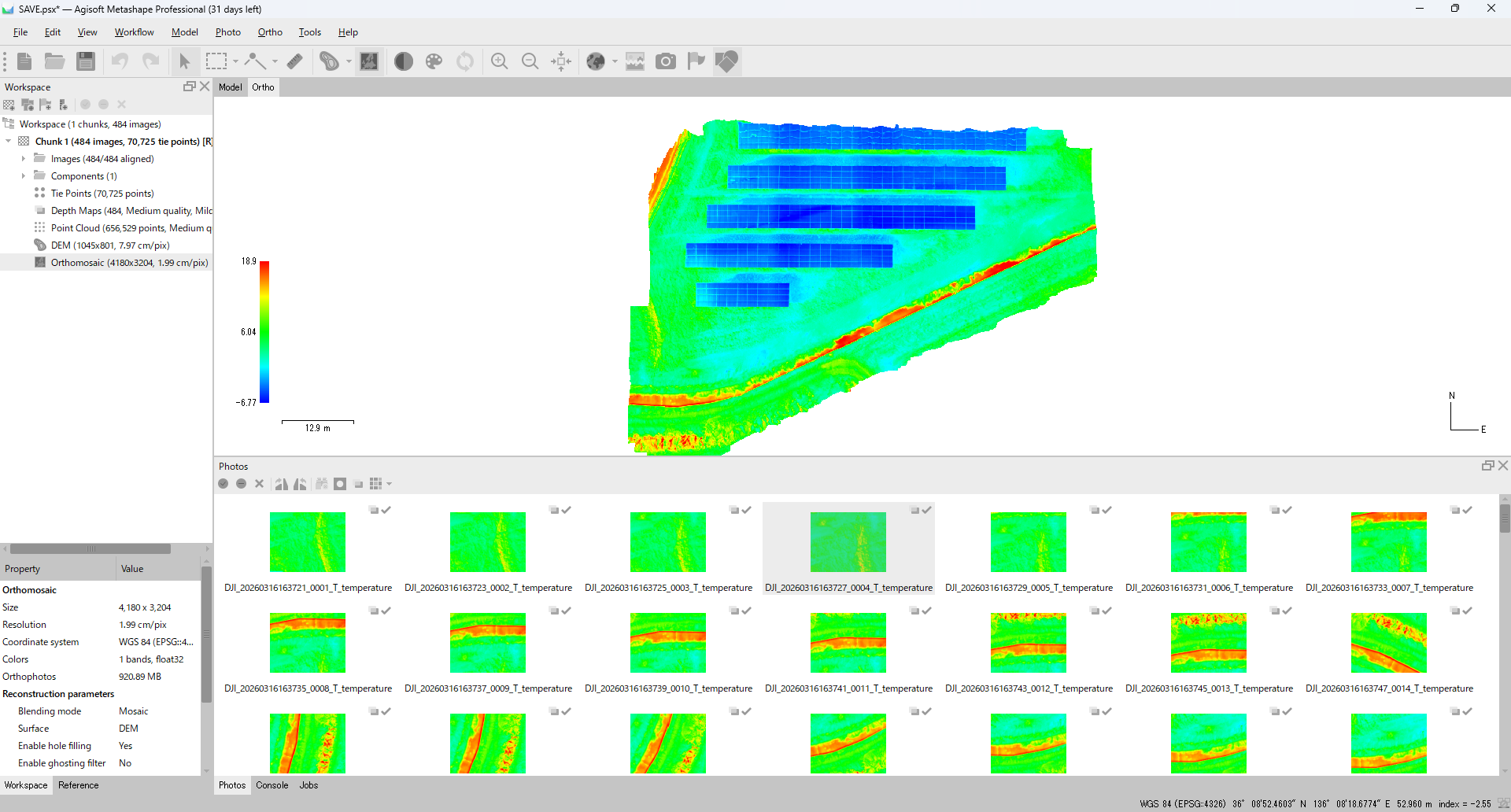
The single images carry GPS in their metadata; the GeoTIFF — a TIFF with embedded georeferencing — is what you get when the mapping tool exports the finished orthomosaic.
Does the TIFF keep accurate temperatures?
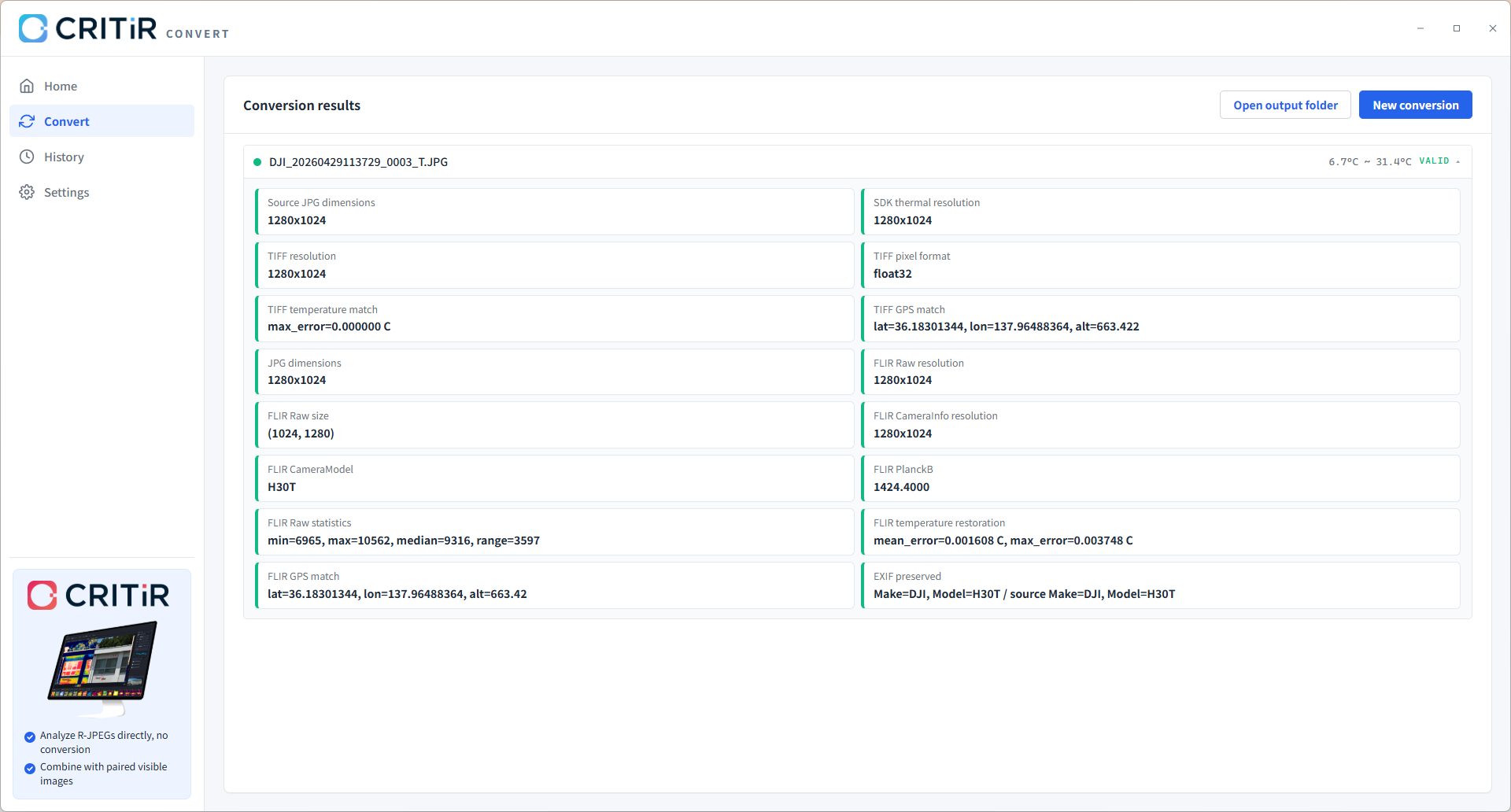
Yes — and for a float32 TIFF the conversion adds no error at all. CRITIR Convert decodes temperatures with the official DJI Thermal SDK and writes those °C values directly into the float32 TIFF, so the result is bit-exact: a 0.0000 °C round-trip. The capture-time parameters (emissivity, reflected temperature, atmospheric temperature, humidity, distance) are applied during the decode rather than dropped.
(The small re-encoding error of around 0.01 °C only applies to the FLIR-compatible R-JPEG path, which quantizes into FLIR's 16-bit raw format — it does not apply to float32 TIFF.)
It also includes a built-in verification step that cross-checks each converted file against the original DJI file, so the round-trip error is reported as a concrete number — for TIFF, that is 0.0000 °C — rather than assumed.
TIFF or FLIR-compatible R-JPEG: which should you export?
It depends on the destination, and CRITIR Convert can emit both in a single pass:
- float32 °C TIFF → for mapping and GIS: Pix4Dmapper, Metashape, QGIS, ArcGIS.
- FLIR-compatible R-JPEG → for frame-by-frame analysis in FLIR Tools / FLIR Thermal Studio. See opening DJI thermal images in FLIR Tools.
If you're comparing tools for the job, the DJI-to-FLIR converter guide lines up the options with pricing and accuracy.
FAQ
- What TIFF format do Pix4Dmapper and Metashape need for DJI thermal?
- A single-channel (one band) 32-bit float TIFF where each pixel value is the temperature in degrees Celsius. This is the radiometric raster those tools read as temperature; an 8-bit RGB TIFF will not work for measurement.
- Can't I just open the DJI .JPG and "Save as TIFF"?
- No. Saving the image as TIFF in a photo editor produces an 8-bit visible/colorized picture whose pixels are brightness values, not temperatures. The radiometric data has to be decoded with the DJI Thermal SDK and written as float32 °C values, which is what CRITIR Convert does.
- Does the converted TIFF keep GPS so it can be georeferenced?
- Yes. CRITIR Convert carries through GPS, capture timestamp, camera and drone model, and gimbal angles. That metadata is what lets Pix4Dmapper and Metashape align and georeference the images into an orthomosaic.
- How accurate is the temperature in the TIFF?
- None from the TIFF conversion itself. A float32 TIFF stores the exact °C values decoded by the official DJI Thermal SDK, so the round-trip is bit-exact (0.0000 °C). Every conversion is automatically verified against the original DJI file. The ~0.01 °C re-encoding error applies only to FLIR-compatible R-JPEG, not to float32 TIFF.
- Will the TIFF open in QGIS or ArcGIS?
- Yes. A single-channel float32 TIFF (or the exported orthomosaic GeoTIFF) opens directly. Because the band holds °C, you can apply a color ramp, read values, and run raster analysis by temperature.
- Can I get both a TIFF and a FLIR-compatible R-JPEG from the same files?
- Yes. CRITIR Convert can output float32 TIFF and FLIR-compatible R-JPEG in a single pass, so you are not locked into one downstream tool.
Want to try it on your own flight? Install CRITIR Convert and start the no-sign-up trial for up to 30 conversions, or send us a project through the conversion service and receive float32 TIFFs back.
Try CRITIR Convert
Convert DJI thermal R-JPEGs into FLIR-compatible files. Free trial with up to 30 conversions.
See the product page